Booting from an external hard drive is a technique that can be used to access the operating system and files on any computer. This can be helpful if the computer’s internal hard drive is damaged or if one wants to work on different computers without installing the operating system on each one. In this essay, we will discuss the process of booting from an external hard drive.
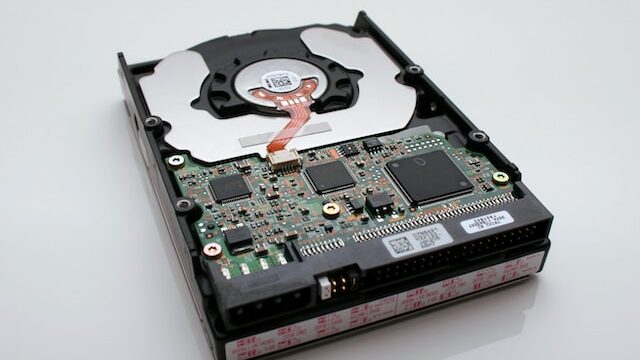
An external hard drive is a portable storage device that can be connected to a computer using a USB or Thunderbolt cable. These drives come in various sizes and are widely used to store backup copies of files and folders or to expand the storage capacity of a computer.
Booting from an external hard drive can be useful in various situations. For instance, if the computer’s internal hard drive is damaged, one can use an external hard drive as a temporary replacement. One can also use an external hard drive to boot into different operating systems, which can be helpful when testing new software or troubleshooting issues with the computer.
To boot from an external hard drive, one needs to follow a few simple steps. Firstly, one needs to connect the external hard drive to the computer. Ensure that the external hard drive is powered on and properly connected to the computer’s USB or Thunderbolt port.
The next step is to access the boot menu. To do this, one needs to restart the computer and press the key that allows access to the boot menu. The key varies depending on the computer manufacturer, but it is often F12, F10, or Esc. Consult the computer manual if unsure about which key to press.
Once the boot menu is accessed, select the external hard drive as the boot device. Use the arrow keys to navigate the menu and select the external hard drive from the list of devices. After selecting the external hard drive as the boot device, save the changes and exit the boot menu. This will reboot the computer, and it will boot from the external hard drive.
Before booting from an external hard drive, there are a few things to keep in mind. Firstly, not all computers support booting from an external hard drive. Ensure that the computer’s BIOS is configured to support booting from external drives. Secondly, booting from an external hard drive can be slower than booting from an internal hard drive. This is because external hard drives are connected through USB or Thunderbolt, which are slower than SATA, the connection used for internal hard drives.
In conclusion, booting from an external hard drive can be a helpful technique that allows access to the operating system and files on any computer. This is useful if the computer’s internal hard drive is damaged or if one wants to work on different computers without installing the operating system on each one. By following the simple steps outlined above, one can easily boot from an external hard drive. However, keep in mind that not all computers support this feature, and booting from an external hard drive can be slower than booting from an internal hard drive.