This guide provides a straightforward approach to creating a cute duck icon, perfect for use in various digital applications. The design focuses on simplicity and charm, making it appealing for both children and adults.
Using basic shapes and vibrant colors, you can easily create a delightful duck icon that captures attention and adds a playful touch to your projects.
Creating the Perfect Duck Icon
Designing a cute duck icon is a delightful project that can brighten up any digital application.
With its simple shapes and vibrant colors, this design is not only appealing but also easy to replicate.
Whether you’re a beginner or have some experience in graphic design, you can create a charming duck icon that stands out.
Essential Tools and Materials
To get started, you’ll need basic drawing software like Adobe Illustrator or Canva.
These platforms offer user-friendly interfaces that make the design process smooth and enjoyable.
Additionally, gather a color palette consisting of bright yellow, orange, and white to bring your duck to life.
Step-by-Step Design Process
The first step involves creating the body of the duck.
Begin with an oval shape for the body and a smaller circle for the head, positioning them closely to give a cohesive look.
This foundational shape sets the stage for the rest of your design.
Next, add the beak by using a simple triangle shape.
Position it at the front of the head to give your duck a friendly appearance.
This small detail adds character and charm to your icon.
Bringing the Duck to Life
Now it’s time to create the eyes.
Draw two small circles for the eyes and add even smaller black circles inside for the pupils.
This step is crucial, as expressive eyes can convey a lot of emotion and playfulness.
To complete the design, add two small oval shapes on either side of the body to represent the wings.
These features enhance the overall look and make your duck icon more dynamic.
Coloring Your Duck Icon
With the shapes in place, it’s time to add color.
Fill the body with a bright yellow hue, the beak with a cheerful orange, and the eyes with white and black.
These colors not only make the duck visually appealing but also contribute to its cheerful expression.
Final Touches for Appeal
Once all elements are in place, adjust the shapes and colors as needed.
Ensure that the overall look remains cute and engaging.
This final step is essential to achieving a polished and professional appearance for your duck icon.
In just about 20 minutes, you can create a delightful duck icon that is perfect for various digital applications.
This simple yet effective design will surely capture attention and bring a smile to anyone who sees it.
Simple Steps to Create a Cute Duck Icon
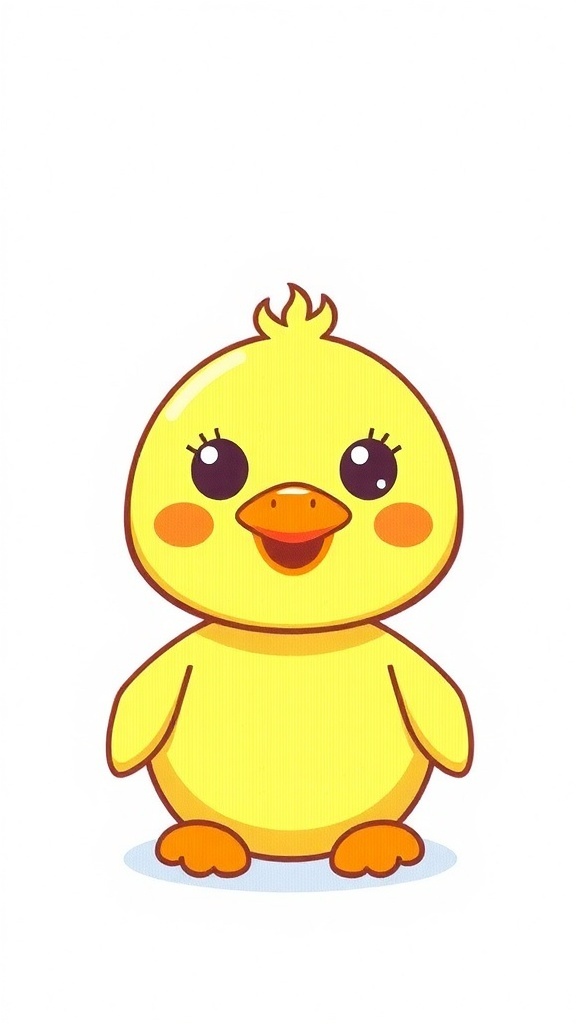
This cute duck icon design involves using rounded shapes for the body and head, with a bright yellow color palette. The design can be completed in just a few steps, making it accessible for beginners and experienced designers alike.
Ingredients
- Basic drawing software (e.g., Adobe Illustrator, Canva)
- Color palette: yellow, orange, white
- Shapes: circles and ovals for the body and head
- Simple features: eyes, beak, and wings
Instructions
- Start with the Body: Create an oval shape for the duck’s body and a smaller circle for the head, positioning them close together.
- Add the Beak: Use a triangle shape for the beak, placing it on the front of the head.
- Create the Eyes: Draw two small circles for the eyes, adding smaller black circles inside for pupils.
- Design the Wings: Add two small oval shapes on either side of the body for the wings.
- Color the Duck: Fill the body with a bright yellow color, the beak with orange, and the eyes with white and black.
- Finalize the Icon: Adjust the shapes and colors as needed, ensuring the overall look is cute and appealing.
Cook and Prep Times
- Prep Time: 5 minutes
- Design Time: 15 minutes
- Total Time: 20 minutes
- Usability: Suitable for digital applications, stickers, and illustrations
- Appeal: Child-friendly and visually engaging
Related
- Cute Duck Nail Art Design
- Deliciously Cute Dessert Logo Design
- Duck-Themed Nail Art Design
- Duck Egg Blue Bedroom Design Ideas