Dell is a well-known brand in the world of technology, and it offers a wide range of products, including monitors. Dell monitors come with various features and specifications, and one of the most commonly used ports is HDMI. In this article, we will discuss Dell monitors’ HDMI port, its functionality, and the benefits it offers.
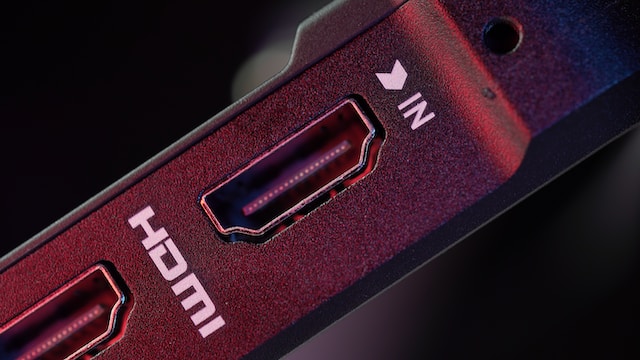
HDMI (High Definition Multimedia Interface) is a digital video and audio interface that is widely used in modern devices such as monitors, TVs, projectors, and gaming consoles. HDMI is capable of transmitting high-quality video and audio signals over a single cable, making it a popular choice for both home and professional use.
Dell monitors are equipped with an HDMI port, which allows users to connect their devices such as laptops, PCs, gaming consoles, and Blu-ray players to the monitor. The HDMI port on Dell monitors supports both audio and video signals and is compatible with various HDMI versions, including HDMI 1.4, HDMI 2.0, and HDMI 2.1.
One of the primary benefits of using the HDMI port on Dell monitors is that it provides high-quality video and audio signals. HDMI is capable of transmitting high-definition video signals, including 720p, 1080p, and 4K. Additionally, HDMI supports a wide range of audio formats, including Dolby Digital, DTS, and LPCM.
Another benefit of using the HDMI port on Dell monitors is that it provides a simple and convenient way to connect multiple devices. With an HDMI cable, users can easily connect their laptops, PCs, gaming consoles, and other devices to the monitor without the need for any additional adapters or cables. This makes it easy to switch between devices and use the monitor for various purposes.
Dell monitors’ HDMI port also supports various features that enhance the user experience. For example, some Dell monitors come with an HDMI 2.0 port that supports a higher refresh rate, allowing for smoother and more responsive gameplay. Additionally, some Dell monitors come with an HDMI 2.1 port that supports features such as Variable Refresh Rate (VRR) and Auto Low Latency Mode (ALLM), which improve the gaming experience further.
HDMI on Dell monitors also supports various features that enhance productivity and multitasking. For example, users can connect their laptops to the monitor via HDMI and use it as a secondary display, allowing them to extend their desktop and work on multiple applications simultaneously. Additionally, some Dell monitors come with a Picture-in-Picture (PiP) mode that allows users to display two sources on the screen simultaneously, making it easier to multitask.
In conclusion, Dell monitors’ HDMI port is a versatile and convenient feature that provides users with high-quality video and audio signals, easy connectivity, and enhanced features that improve the user experience. Whether you’re a gamer, professional, or casual user, Dell monitors’ HDMI port has something to offer. If you’re in the market for a new monitor, be sure to consider Dell monitors and their HDMI port as a valuable feature to enhance your computing experience.