Laptops are essential devices for many people in today’s digital world. They come in different shapes and sizes, and are equipped with different features to meet various user needs. One of the features that many users look for in a laptop is an HDMI input. HDMI, or High-Definition Multimedia Interface, is a standard audio-video interface used to transmit high-definition audio and video signals between devices. In this article, we will explore whether laptops have HDMI input or not and how to check if your laptop has it.
First of all, it is important to understand the difference between HDMI input and HDMI output. HDMI output allows you to send audio and video signals from your laptop to an external display device, such as a TV or a monitor. On the other hand, HDMI input allows you to receive audio and video signals from an external device and display them on your laptop screen. Most laptops come with HDMI output as a standard feature, but HDMI input is much less common.
The reason for this is that most laptops are designed to be portable and compact, which means they are not typically used as external displays for other devices. Additionally, adding HDMI input to a laptop requires additional hardware and can increase the cost and complexity of the device. Therefore, it is more common to find HDMI input on desktop computers, all-in-one computers, or larger display monitors.
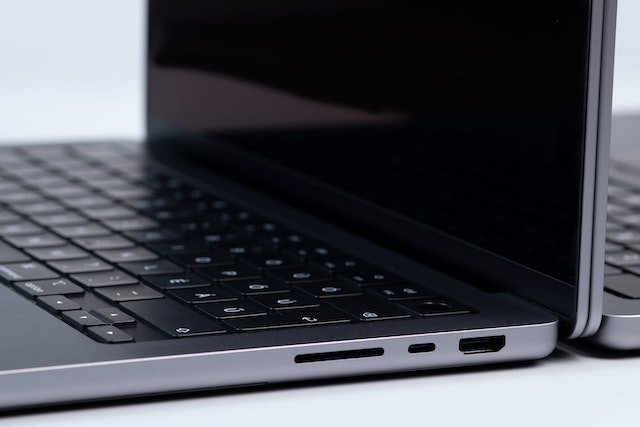
So, how can you check if your laptop has HDMI input? The easiest way is to look for an HDMI port on your laptop. The HDMI port is usually located on the side or the back of the laptop, and it looks similar to a USB port, but slightly wider. If your laptop has an HDMI port, it is most likely HDMI output, which means you can connect your laptop to an external display device using an HDMI cable.
If you are looking for HDMI input on your laptop, you will need to check the specifications of your laptop or refer to the user manual. The specifications should list all the ports and features of your laptop, including HDMI input and output. Alternatively, you can check the laptop manufacturer’s website for more information.
It is also worth noting that some laptops may have HDMI input, but it may not be labeled as such. Some laptops may have a port that looks like HDMI, but it may be labeled as “MHL” (Mobile High-Definition Link) or “SlimPort”. These ports are designed to support HDMI input and output, but they may require a special adapter or cable to connect to an external device.
If your laptop does not have HDMI input, there are still ways to connect external devices to your laptop. One option is to use a USB capture card, which allows you to connect an external video source, such as a camera or gaming console, to your laptop through a USB port. Another option is to use a wireless display adapter, which connects to your laptop through Wi-Fi or Bluetooth and allows you to stream audio and video to an external display device.
In conclusion, HDMI input is not a common feature on laptops, as most laptops are designed to be portable and compact. Most laptops come with HDMI output as a standard feature, which allows you to connect your laptop to an external display device. To check if your laptop has HDMI input, you can look for an HDMI port on your laptop, check the specifications, or refer to the user manual. If your laptop does not have HDMI input, there are still ways to connect external devices to your laptop using adapters or wireless display technology.