A DVD player drive is a device that plays DVD discs by reading the data stored on them. It can be found in various devices such as computers, gaming consoles, and DVD players. The drive consists of different components that include a laser, spindle motor, sled motor, and lens. The laser is responsible for reading the data from the DVD by emitting a laser beam that reflects off the disc. The spindle motor rotates the disc at a constant speed, while the sled motor moves the lens and laser back and forth to read different parts of the disc. The lens focuses the laser beam onto the disc to ensure accurate data reading.
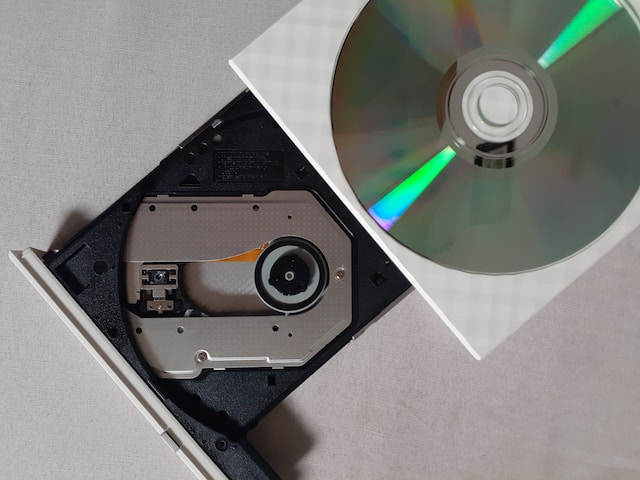
To play a DVD, the spindle motor spins the disc at a constant speed, and the laser emits a beam of light that reflects off the disc and back onto the lens. The lens adjusts its position to focus the laser beam onto the disc, and the laser reads the data stored on the disc. The data on the DVD is stored in a series of pits and lands on the disc’s surface, and the laser reads these pits and lands which correspond to the digital 1s and 0s of the data. The data is then sent to a decoder which converts it into an audio or video signal that is sent to the display or speakers.
There are various common issues that may arise while using a DVD player drive, including skipping or freezing, disc not reading, and slow playback. These issues may be caused by scratches or dirt on the disc, a dirty or damaged lens, outdated DVD player drive, or the computer’s processor not being powerful enough to handle the DVD’s playback. Such problems can be resolved by cleaning the disc or lens, trying a different disc, or upgrading the DVD player or computer.
In summary, understanding the basics of a DVD player drive and how it works can help users troubleshoot common issues and enjoy their favorite DVDs without any difficulties.