An external hard drive is a portable device that can be used to store and transfer large amounts of data. These hard drives come in a variety of sizes and formats, but they all have one thing in common: they require a cable to connect to your computer or other device.
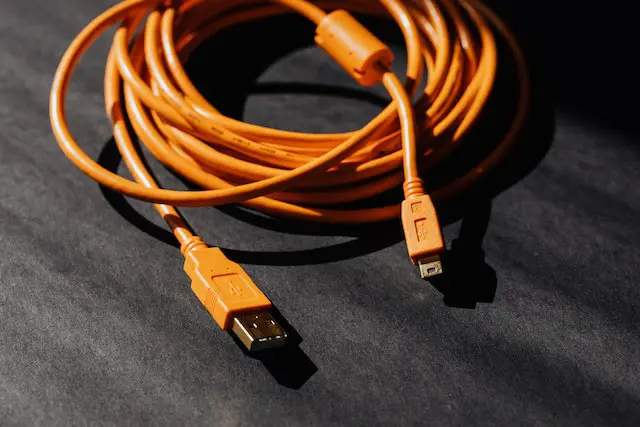
The type of cable that you will need for your external hard drive will depend on the type of connection that your device supports. Some of the most common types of external hard drive cables include USB-A, USB-C, FireWire, Thunderbolt, and eSATA.
USB-A is the most common type of cable for external hard drives. It is a rectangular connector that is commonly found on most computers and devices. USB-A cables are easy to use and they are compatible with most devices, but they do not offer the fastest data transfer speeds.
USB-C is a newer type of connector that is becoming more popular. It is a smaller, reversible connector that offers faster data transfer speeds than USB-A. USB-C cables are also capable of carrying power, which means that they can be used to charge your device while you are transferring data.
FireWire is an older type of connector that was popular in the early 2000s. It offers faster data transfer speeds than USB-A, but it is not as widely supported as USB. If you have an older computer or device, it may still have a FireWire port.
Thunderbolt is a newer type of connector that was developed by Apple. It offers even faster data transfer speeds than USB-C and it is capable of carrying power. However, Thunderbolt cables can be more expensive than other types of cables.
eSATA is a type of connector that is designed specifically for external hard drives. It offers fast data transfer speeds, but it is not as widely supported as USB or Thunderbolt.
When choosing an external hard drive cable, it is important to consider the speed and compatibility of the cable. USB-A cables are the most widely supported, but they may not offer the fastest data transfer speeds. USB-C and Thunderbolt cables offer faster speeds and additional features, but they may not be compatible with all devices.
It is also important to consider the length of the cable that you will need. If you plan to use your external hard drive while it is plugged in, you will need a cable that is long enough to reach your computer or device. If you plan to use your external hard drive while it is on the go, you may want to consider a shorter cable that is easier to carry.
In addition to choosing the right cable for your external hard drive, it is important to take care of your cable to ensure that it lasts as long as possible. Always unplug your cable by gripping the connector, rather than pulling on the cable itself. Avoid kinking or bending the cable, and store it in a cool, dry place when it is not in use.
In conclusion, an external hard drive cable is an essential accessory for anyone who needs to store and transfer large amounts of data. When choosing a cable, it is important to consider the type of connector, the speed and compatibility of the cable, and the length of the cable. With the right cable and proper care, your external hard drive can provide you with reliable and convenient storage for years to come.