When an external hard drive is dropped, there are several potential consequences, depending on the severity of the impact. Here are some of the things that could happen, as well as some steps you can take to recover your data.
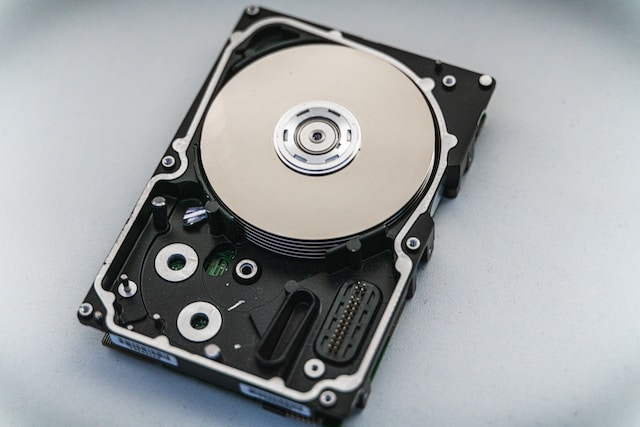
- The hard drive may sustain physical damage: If the hard drive is dropped from a height or with significant force, it could sustain physical damage. This might include scratches, dents, or other visible signs of damage. In some cases, the internal components of the hard drive might also be damaged. If this happens, the hard drive might not function at all.
- The hard drive may have a software issue: Even if the hard drive is not physically damaged, it may still experience software issues. For example, the impact of the drop could cause the read/write head to become misaligned or the firmware to become corrupted. In these cases, the hard drive might still power on, but it may not be able to read or write data.
- Data loss: Whether the hard drive is physically damaged or just experiencing software issues, there is a risk of data loss. If the hard drive cannot function properly, it may not be able to retrieve the data stored on it. This could include important documents, photos, videos, and other files.
Steps to Recover Your Data:
- Stop using the hard drive: If you have dropped your external hard drive, the first step you should take is to stop using it. Continuing to use a damaged hard drive could cause further damage and make data recovery more difficult. If the hard drive is making unusual noises or is not functioning correctly, power it down immediately.
- Evaluate the extent of the damage: The next step is to evaluate the extent of the damage. If the hard drive is physically damaged, you may be able to see visible signs of damage such as scratches or dents. However, even if there are no visible signs of damage, the hard drive may still be experiencing software issues.
- Back up any data you can: If the hard drive is still functioning, but you are worried about data loss, your next step should be to back up any data you can. Copy any important files to another hard drive or to cloud storage. This will ensure that even if the hard drive fails completely, you will still have access to your important data.
- Try data recovery software: If the hard drive is still functioning, but you are having trouble accessing your data, you may be able to use data recovery software. There are many different data recovery tools available online that can help you recover files from a damaged hard drive. Some of these tools are free, while others may require a paid license.
- Consider professional data recovery services: If the hard drive is physically damaged or if you are unable to recover your data using software, your best option may be to seek the help of a professional data recovery service. These companies have specialized equipment and expertise that can help recover data from even the most damaged hard drives. However, these services can be expensive, so be sure to weigh the cost against the value of the data you are trying to recover.
In conclusion, dropping an external hard drive can be a stressful experience, especially if you have important data stored on it. If you take the right steps, however, you may be able to recover your data and get your hard drive back in working order. Remember to stop using the hard drive immediately, evaluate the extent of the damage, back up any data you can, try data recovery software, and consider professional data recovery services if necessary.
External hard drive dropped