If you own a Microsoft Surface Pro, you may want to consider purchasing an external hard drive to expand your device’s storage capacity and improve its performance. Here are some important factors to consider when choosing an external hard drive for your Surface Pro:
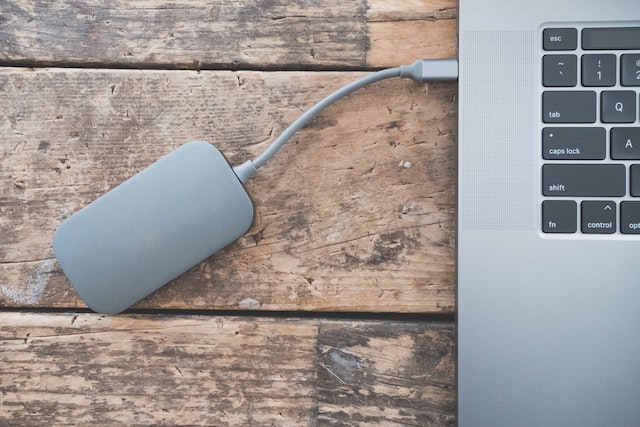
- Type of external hard drive: There are two main types of external hard drives: traditional hard disk drives (HDDs) and solid-state drives (SSDs). HDDs are generally more affordable but are slower and less durable than SSDs, which are faster and more reliable but come at a higher cost. For the best performance and durability, we recommend choosing an SSD.
- Capacity: The amount of storage capacity you need will depend on how you use your Surface Pro. If you use your device for work or school and mainly store documents and other small files, a smaller capacity external hard drive will likely suffice. If you use your Surface Pro for multimedia or creative work and store large files such as photos, videos, or music, you may need a larger capacity external hard drive. As a general rule, we recommend choosing an external hard drive with at least 500GB of storage capacity.
- Connection interface: Your Surface Pro supports several types of connection interfaces, including USB 3.0, Thunderbolt 3, and USB-C. To achieve the best performance and compatibility, choose an external hard drive that supports the connection interface of your Surface Pro.
- Brand and reliability: Choose a reputable brand with a good track record for quality and reliability. Look for external hard drives with a warranty to ensure protection and support in case of issues.
- Portability: Consider whether you need a portable or desktop external hard drive. Portable external hard drives are smaller and more lightweight, making them easier to carry around, while desktop external hard drives are larger and more stationary, but can offer more storage capacity.
- Encryption and security: If you need to store sensitive or confidential data on your external hard drive, look for a drive that offers encryption and other security features to protect your data.
Once you have chosen your external hard drive, here are some tips for using it with your Surface Pro:
- Set up your external hard drive: Before you start using your external hard drive, you may need to format it for use with your Surface Pro. Follow the manufacturer’s instructions to format the drive and make it compatible with your device.
- Move files to your external hard drive: To free up space on your Surface Pro, you can move files such as photos, videos, and music to your external hard drive. Simply connect the drive to your device and drag and drop the files to the drive.
- Use your external hard drive as a backup: External hard drives can also be used as backup devices to protect your data in case of hardware failure or other issues. You can set up automatic backups using built-in Windows tools or third-party backup software.
- Eject the drive safely: Always eject the external hard drive safely before unplugging it from your Surface Pro. This helps prevent data corruption and ensures the integrity of your files.
- Regularly back up your external hard drive: Since external hard drives can also fail or become corrupted, it’s important to regularly back up your external hard drive to another external hard drive or cloud storage service.
In conclusion, choosing the right external hard drive for your Surface Pro can help you expand your device’s storage capacity and improve its performance. Consider factors such as the type of external hard drive, capacity, connection interface, brand and reliability, portability, and encryption and security. Once you have chosen your external hard drive, follow best practices for using it with your Surface Pro to ensure the best performance and longevity of your device and external hard drive.