A hard drive bay is a slot or compartment in a computer case designed to hold a hard disk drive or other storage device. Hard drive bays are an essential part of any computer, as they allow users to expand the storage capacity of their machines. In this article, we will explore the different types of hard drive bays and how they work.
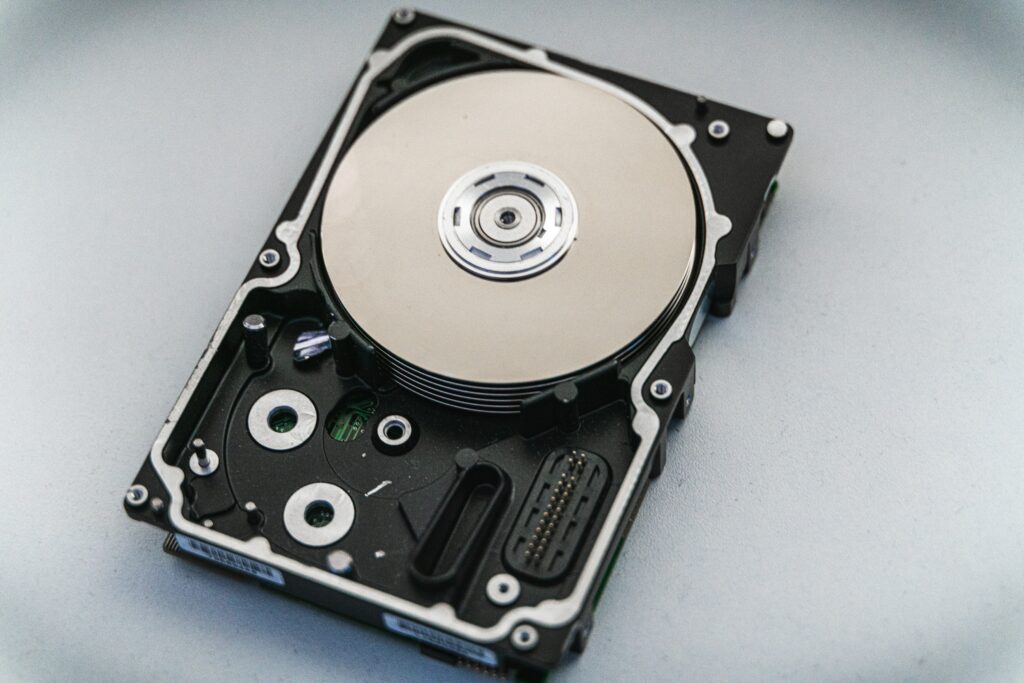
Types of Hard Drive Bays
There are two main types of hard drive bays: internal and external. Internal hard drive bays are located inside the computer case, while external hard drive bays are located outside the computer case and are usually connected via USB or other external interfaces.
Internal Hard Drive Bays
Internal hard drive bays are the most common type of hard drive bay found in desktop computers. They are usually located near the front or back of the computer case and can hold one or more hard disk drives. The number of internal hard drive bays a computer has depends on the size and design of the case.
Internal hard drive bays come in two different sizes: 3.5-inch and 2.5-inch. The 3.5-inch size is the most common and is designed to hold standard desktop hard drives. The 2.5-inch size is smaller and is designed to hold laptop hard drives or solid-state drives (SSDs).
In addition to the physical size, internal hard drive bays come in different types depending on the interface used to connect the hard drive to the motherboard. The most common interface types are SATA (Serial ATA) and IDE (Integrated Drive Electronics). SATA is the most common interface used today, while IDE is an older interface that is less common.
External Hard Drive Bays
External hard drive bays are designed to hold hard drives that are not installed inside the computer case. These bays are typically connected to the computer via USB, FireWire, or other external interfaces. External hard drive bays are useful for adding additional storage capacity to a computer without having to open up the case.
External hard drive bays come in different shapes and sizes, and can hold one or more hard drives. Some external hard drive bays are designed to be portable and can be carried around like a briefcase. These types of bays are useful for people who need to take their data with them on the go.
How Hard Drive Bays Work
Hard drive bays are designed to hold hard drives securely in place while also providing a way to connect the hard drive to the computer’s motherboard. Most internal hard drive bays have rails or other mounting mechanisms that allow the hard drive to slide into place and lock into position. External hard drive bays typically use a tray or caddy that the hard drive is inserted into.
Once the hard drive is securely in place, it must be connected to the motherboard. Internal hard drives are connected using a SATA or IDE cable, while external hard drives are connected using a USB, FireWire, or other external interface. Once the hard drive is connected, the computer’s operating system will recognize the new storage device and allow the user to access it.
Conclusion
Hard drive bays are an essential part of any computer system. They provide a way to expand the storage capacity of a computer and allow users to store and access their data. Internal hard drive bays are located inside the computer case and can hold one or more hard disk drives. External hard drive bays are located outside the computer case and are usually connected via USB or other external interfaces. Regardless of the type of hard drive bay, they all work in a similar way by securely holding the hard drive in place and providing a way to connect it to the computer’s motherboard.