A hard drive is an integral part of a computer, used for storing data in digital format. When a hard drive starts producing a beeping sound, it could be an indication of a significant problem that requires immediate attention. Typically, such a sound is a sign of a failing or already failed device, with the cause ranging from physical damage, overheating, electronic failure, or power surges.
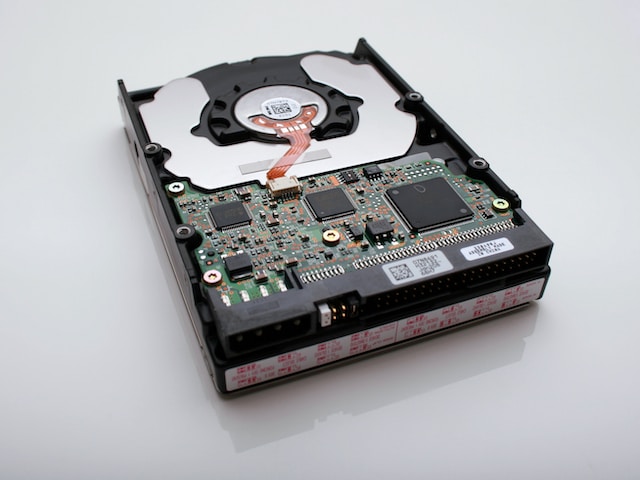
Acting swiftly is necessary to prevent data loss or further damage to the hard drive if it starts beeping and is not detected by the computer. A hardware failure could be responsible, and professional intervention may be necessary to retrieve the stored data.
Physical damage is among the most common reasons for a hard drive to beep and fail. Accidental drops, water damage, or exposure to extreme temperatures could be responsible. Whenever the hard drive’s read/write heads contact the platters, scratches, or other forms of damage may result, rendering the drive unusable.
Overheating is another leading cause of hard drive failure. When the hard drive’s components get exposed to high temperatures, they expand and contract, leading to damage. Overheating may also lead to the lubricant breaking down, causing additional damage to the hard drive’s components.
Electronic failure is another prevalent cause of hard drive failure. Power surges or electrical problems may trigger it. When the hard drive’s electronics malfunction, it may produce a beeping sound and stop working.
Power surges are sudden spikes in electric current that may cause harm to electronic devices. They may result from power outages, lightning strikes, or faulty electrical equipment. If a power surge occurs when the hard drive is in use, it may damage the electronics, resulting in failure.
If a hard drive is beeping and not detected, several steps may be taken to resolve the issue. Firstly, try connecting the hard drive to another computer or port to see if it can be detected. If this approach fails, restarting the computer or inspecting the cables and connections to confirm they are appropriately connected may help.
When none of these steps works, stop using the hard drive immediately and seek professional assistance. Contacting a data recovery service provider can help retrieve the stored data from the damaged or failed hard drive. Such service providers have the requisite tools and expertise to retrieve data from such hard drives. However, it is crucial to engage a reputable and experienced data recovery service provider to ensure the safety and security of your data.
In summary, a hard drive that starts producing a beeping sound and is not detected is an indication of a significant problem requiring immediate attention. Physical damage, overheating, electronic failure, or power surges may be responsible. If the hard drive starts beeping and is not detected, try connecting it to another computer or port, restarting the computer, or inspecting the cables and connections. If these steps fail, engage a professional data recovery service provider to retrieve your data safely and securely.