The hard drive short DST (Drive Self Test) check is a diagnostic tool that is built into Hewlett Packard (HP) computers to test the health of the hard drive. When this test fails, it indicates that there is a problem with the hard drive, which could result in data loss and system instability. In this article, we will discuss what the hard drive short DST check is, why it might fail, and what steps you can take to resolve the issue.
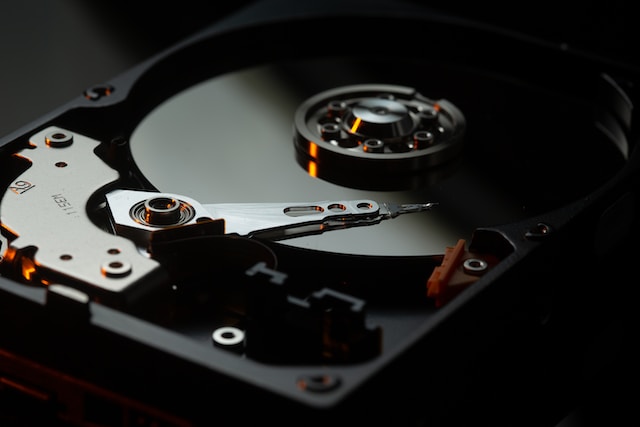
What is the Hard Drive Short DST Check?
The hard drive short DST check is a quick diagnostic test that is used to check the health of the hard drive. It is built into the computer’s BIOS (Basic Input/Output System) and is run automatically at startup. The test checks the hard drive’s performance and looks for any errors or problems that may be affecting its ability to function correctly.
Why Does the Hard Drive Short DST Check Fail?
There are several reasons why the hard drive short DST check might fail. Some of the most common reasons include:
- Physical Damage – If the hard drive has been dropped or bumped, it may have suffered physical damage, which can cause the test to fail.
- Malware or Viruses – Malware or viruses can corrupt files on the hard drive, which can cause the test to fail.
- Corrupt File System – If the file system on the hard drive becomes corrupted, it can cause the test to fail.
- Age – As a hard drive ages, it becomes more prone to failure, and the test may fail due to wear and tear.
- Overheating – If the computer’s cooling system is not functioning correctly, the hard drive may overheat, causing the test to fail.
What Should You Do if the Hard Drive Short DST Check Fails?
If the hard drive short DST check fails, it is essential to take immediate action to prevent data loss and system instability. Here are some steps you can take to resolve the issue:
- Backup Your Data – Before you do anything else, back up your data to an external hard drive or cloud storage service. This will prevent data loss if the hard drive fails completely.
- Check for Malware or Viruses – Use a reputable anti-virus program to scan your computer for malware or viruses. If any are found, remove them and run the test again.
- Check for Physical Damage – If the hard drive has suffered physical damage, it may need to be replaced. Contact a professional to assess the damage and determine the best course of action.
- Repair the File System – If the file system on the hard drive is corrupt, you can try repairing it using the chkdsk command in Windows or the fsck command in Linux.
- Replace the Hard Drive – If none of the above steps work, you may need to replace the hard drive. Make sure to choose a reliable and high-quality hard drive to ensure long-term stability.
Conclusion
The hard drive short DST check is an important diagnostic tool that can help you identify issues with your hard drive before they become serious problems. If the test fails, take immediate action to prevent data loss and system instability. By following the steps outlined above, you can resolve the issue and ensure that your computer is functioning correctly.