In today’s world, making a video call between an Android and an iPhone is an effortless process. You only need to follow a few simple steps, and you’re ready to go. The following are the steps to making a video call between these devices:
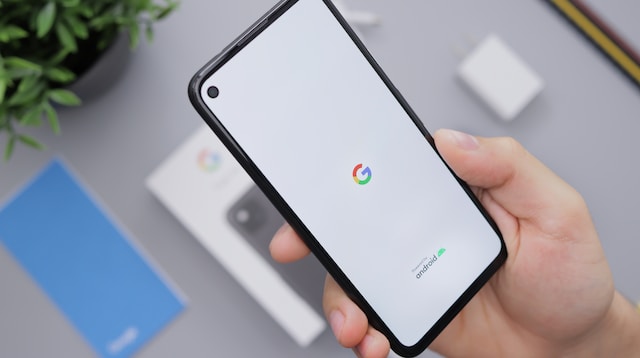
Step 1: Download a Video Calling App The first step is to download a video calling app that works with both Android and iPhone devices. Many video calling apps are available on app stores, such as Facebook Messenger, Google Duo, Skype, and WhatsApp. However, keep in mind that FaceTime is only for Apple devices, so it can’t be used for video calls between Android and iPhone devices. Therefore, we’ll concentrate on other video calling apps that are compatible with both devices.
Step 2: Create an Account and Sign in Once you’ve downloaded the video calling app, create an account and sign in. The procedure may vary depending on the app you choose. For instance, some apps require you to use your phone number to create an account, while others allow you to use your Google account. Pay attention to the instructions and provide correct information to avoid any issues later.
Step 3: Add Contacts The next step is to add your contacts to your account. You need to do this to make a video call, as you cannot call anyone who isn’t in your contacts list. You can sync your phone contacts or add them to the app manually. For apps like Facebook Messenger and WhatsApp, you can invite your friends to join the app as well.
Step 4: Start the Video Call After you’ve added your contacts, initiate the video call by following these steps:
Open the video calling app on your Android device. Navigate to your contacts list and select the person you want to call. Click on the video call icon to initiate the call. Wait for the other person to answer the call. Once the call is connected, you can start talking face-to-face with the other person.
Step 5: Adjust the Video Call Settings During the video call, you may need to adjust the settings to enhance the call’s quality. You can adjust the volume, mute the call, switch between the front and back cameras, and turn on or off the video feed. The settings may differ depending on the app you’re using, so make sure to explore the app’s features to maximize your video call experience.
Conclusion Making a video call from an Android device to an iPhone is an uncomplicated process that can be done using various video calling apps. Follow the steps mentioned above, and you can easily initiate a video call and enjoy a face-to-face conversation with your loved ones, no matter what device they are using. Remember to create an account, add your contacts, and initiate the call to connect with your friends and family.