When it comes to data storage, there are two main options: internal hard drives and external hard drives. Each has its own advantages and disadvantages, and the best choice depends on your specific needs and preferences. In this article, we will compare the two and help you decide which is the best option for you.
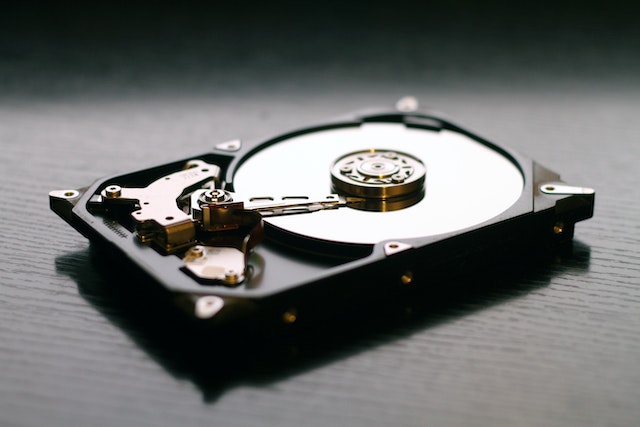
Internal Hard Drives
An internal hard drive is a hard drive that is installed inside your computer, typically on the motherboard or in a drive bay. These drives are available in different sizes and speeds, and they can be used to store your operating system, programs, and files.
Advantages of Internal Hard Drives:
- Speed: Internal hard drives are usually faster than external hard drives. Since the data has to travel a shorter distance, it can be read and written more quickly.
- Cost: Internal hard drives are often less expensive than external hard drives of the same capacity. This is because they do not require an enclosure or power supply.
- Convenience: Since an internal hard drive is installed inside your computer, you don’t have to worry about carrying it around or plugging it in.
- Security: An internal hard drive is less likely to be stolen or damaged than an external hard drive.
Disadvantages of Internal Hard Drives:
- Limited mobility: Since an internal hard drive is installed inside your computer, you cannot easily transfer it to another computer or use it as a backup device.
- Limited capacity: Internal hard drives are limited in terms of capacity, and you may need to replace them with larger drives as your storage needs increase.
- Difficulty of installation: Installing an internal hard drive can be challenging if you are not familiar with computer hardware.
- Risk of data loss: If your computer crashes or is damaged, you may lose all of the data stored on your internal hard drive.
External Hard Drives
An external hard drive is a hard drive that is housed in an enclosure and connected to your computer via a USB, Thunderbolt, or FireWire cable. These drives are available in different sizes and speeds, and they can be used to store your data, backup your files, and transfer data between computers.
Advantages of External Hard Drives:
- Portability: External hard drives are portable and can be easily carried around with you. This makes them a great choice for people who need to take their data with them.
- Capacity: External hard drives are available in larger capacities than internal hard drives, which makes them ideal for storing large files and media.
- Ease of use: External hard drives are easy to use and require no technical expertise. You simply plug them in and start using them.
- Backup: External hard drives can be used to backup your data, which helps protect your files in case your computer crashes or is stolen.
Disadvantages of External Hard Drives:
- Cost: External hard drives are often more expensive than internal hard drives of the same capacity.
- Speed: External hard drives are typically slower than internal hard drives due to the extra step of data transfer through the cable.
- Fragility: External hard drives are more susceptible to damage or failure than internal hard drives because they are not protected by the computer case.
- Security: External hard drives can be easily lost or stolen, which puts your data at risk.
Conclusion
In conclusion, both internal and external hard drives have their own advantages and disadvantages. If you need a large amount of storage that you can easily transport, an external hard drive may be the best option for you. However, if you need fast access to your data and do not need to move it around often, an internal hard drive may be a better choice. Ultimately, the best option for you depends on your specific needs and preferences.