A monitor with multiple HDMI ports is a great solution for anyone who needs to connect multiple devices to their monitor. HDMI is a widely used digital video and audio interface that allows for high-quality transmission of both video and audio signals. Most modern devices such as computers, gaming consoles, media players, and even smartphones and tablets have HDMI ports, making it a popular choice for connecting devices to a monitor.
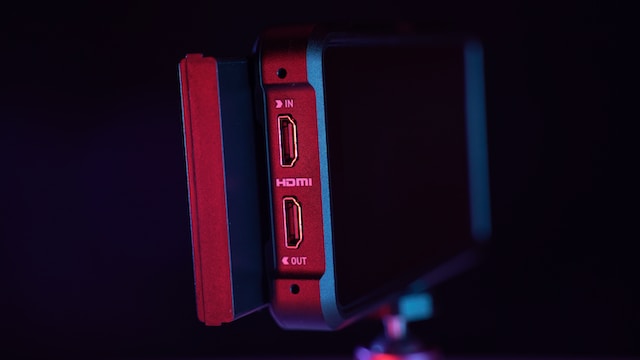
When shopping for a monitor with multiple HDMI ports, there are several factors to consider. First, you should consider the number of HDMI ports you need. Most monitors with multiple HDMI ports have either two or three ports, but some high-end models may have even more. If you plan on connecting more than three devices, you may need to consider using an HDMI switch or hub to expand the number of available ports.
Another factor to consider is the resolution and refresh rate of the monitor. If you plan on using the monitor for gaming or watching high-definition content, you will want to look for a monitor with a high refresh rate and a high-resolution display. The most common resolutions for monitors are 1080p, 1440p, and 4K. Higher resolutions provide sharper images and more detail, but they require more powerful hardware to run smoothly.
In addition to resolution and refresh rate, you should also consider the size and aspect ratio of the monitor. Monitors come in various sizes, ranging from small 21-inch displays to massive 40-inch screens. The aspect ratio is the proportion of the width to the height of the screen, with the most common aspect ratios being 16:9 and 21:9. A wider aspect ratio can provide a more immersive viewing experience for movies and games, but it may not be ideal for productivity tasks.
When it comes to connectivity options, there are several types of HDMI ports to consider. HDMI 2.0 is the most common type and supports 4K resolutions at 60Hz. HDMI 2.1 is a newer standard that supports even higher resolutions and refresh rates, but it is less common on monitors at this time. Some monitors also feature HDMI with Audio Return Channel (ARC) support, which allows for audio to be sent back from the monitor to a soundbar or receiver through a single HDMI cable.
Other features to look for in a monitor with multiple HDMI ports include built-in speakers, USB ports, and adjustable stands. Built-in speakers can be a convenient option if you don’t want to purchase separate speakers or a soundbar. USB ports can be useful for connecting peripherals such as mice and keyboards, and an adjustable stand can help you find the perfect viewing angle for your needs.
In terms of brands, there are several reliable options when it comes to monitors with multiple HDMI ports. Some popular brands include Dell, ASUS, LG, and Samsung. It’s important to read reviews and compare specs to find the right monitor for your needs and budget.
Overall, a monitor with multiple HDMI ports can be a convenient and versatile option for anyone who needs to connect multiple devices to their display. When shopping for a monitor with multiple HDMI ports, consider factors such as the number of ports, resolution and refresh rate, size and aspect ratio, connectivity options, and additional features. With the right monitor, you can enjoy high-quality video and audio from all of your favorite devices.