The Sony X900H is a high-end 4K TV with a range of advanced features, including a range of HDMI ports for connecting to other devices. In this answer, we will provide an overview of the HDMI ports on the Sony X900H and how to use them.
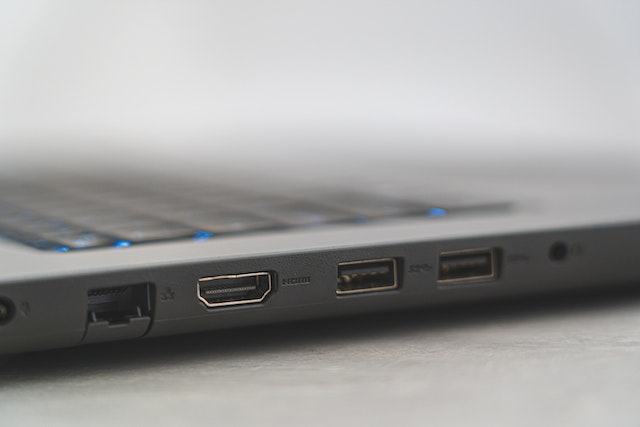
The Sony X900H has four HDMI inputs, labeled HDMI 1 through HDMI 4. These ports support a range of HDMI versions, including HDMI 2.0, HDMI 2.0a, and HDMI 2.1. HDMI 2.0 and HDMI 2.0a are used for most consumer devices, while HDMI 2.1 is a newer standard that supports higher bandwidth and advanced features such as 4K at 120Hz, variable refresh rate (VRR), and auto low-latency mode (ALLM).
HDMI 1 and HDMI 2 are full-bandwidth HDMI 2.0 ports, which means they support 4K at 60Hz with 10-bit color depth and HDR. These ports are ideal for connecting to devices such as 4K Blu-ray players, gaming consoles, and streaming devices. These ports also support Audio Return Channel (ARC), which allows audio to be sent from the TV to a soundbar or AV receiver using a single HDMI cable.
HDMI 3 is a full-bandwidth HDMI 2.1 port, which means it supports 4K at 120Hz, variable refresh rate (VRR), and auto low-latency mode (ALLM). This port is ideal for connecting to the latest gaming consoles such as the PlayStation 5 or Xbox Series X, as it can support their advanced features.
HDMI 4 is an HDMI 2.0 port with eARC (Enhanced Audio Return Channel) support. eARC is an enhanced version of ARC that can support high-quality audio formats such as Dolby Atmos and DTS:X. This port is ideal for connecting to an AV receiver or soundbar that supports eARC.
To use the HDMI ports on the Sony X900H, simply connect the HDMI cable from your device to the corresponding HDMI port on the TV. The TV should automatically detect the device and display its output on the screen. If you have multiple devices connected to the TV, you can switch between them using the input button on the TV remote.
Here are some tips for using the HDMI ports on the Sony X900H:
- Use high-quality HDMI cables to ensure the best possible picture and sound quality. HDMI cables can vary in quality, so it’s important to use a reputable brand and choose cables that are certified for the version of HDMI you are using.
- Enable HDMI-CEC on your devices to simplify the control of multiple devices. HDMI-CEC allows you to control your devices with a single remote, so you don’t need to switch between multiple remotes.
- If you are connecting a gaming console, make sure to enable the appropriate settings for your console and the TV. This may include enabling VRR, ALLM, or adjusting the picture settings for the best gaming performance.
- If you are using an AV receiver or soundbar, make sure to connect it to the HDMI eARC port for the best audio quality. This will ensure that you can take advantage of high-quality audio formats such as Dolby Atmos and DTS:X.
- If you have devices that don’t support HDMI, such as older gaming consoles or DVD players, you can use an HDMI converter to connect them to the TV.
In conclusion, the Sony X900H has a range of HDMI ports that support a variety of devices and advanced features. By using high-quality HDMI cables and enabling the appropriate settings, you can ensure the best possible picture and sound quality for your devices.