Android devices offer several options for making video calls, including built-in apps and third-party services. In this article, we’ll explore the different ways to make video calls on an Android device.
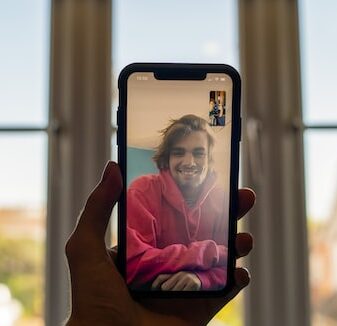
Built-in Apps: Most Android devices come with built-in video calling apps, such as Google Duo and WhatsApp. These apps are pre-installed on many Android devices, making them a convenient option for making video calls.
Google Duo: Google Duo is a video calling app that is available for free on the Google Play Store. It offers high-quality video and audio calls, as well as features such as end-to-end encryption and the ability to leave video messages. To make a video call with Google Duo, simply open the app, select the person you want to call from your contacts, and tap the “Video call” button.
WhatsApp: WhatsApp is a popular messaging app that also supports video calling. To make a video call with WhatsApp, open the app, select the person you want to call from your contacts, and tap the “Video call” button. Note that both you and the person you’re calling must have WhatsApp installed on your devices in order to make a video call.
Third-Party Services: In addition to built-in apps, there are several third-party video calling services available for Android devices. Some popular options include Zoom, Skype, and Google Meet.
Zoom: Zoom is a video conferencing service that is widely used for virtual meetings, webinars, and online classes. It’s also a great option for making video calls with friends and family. To use Zoom on an Android device, download the app from the Google Play Store, create an account, and start a new meeting or join an existing one.
Skype: Skype is a video calling service that has been around for many years. It offers high-quality video and audio calls, as well as features such as screen sharing and instant messaging. To use Skype on an Android device, download the app from the Google Play Store, create an account, and start a new call or join an existing one.
Google Meet: Google Meet is a video conferencing service that is part of the Google Workspace suite of tools. It’s designed for businesses and organizations, but can also be used for personal video calls. To use Google Meet on an Android device, download the app from the Google Play Store, sign in with your Google account, and start a new meeting or join an existing one.
In summary, there are several options for making video calls on an Android device, including built-in apps and third-party services. Whether you’re using Google Duo, WhatsApp, Zoom, Skype, or Google Meet, making video calls on an Android device is easy and convenient. With the ability to see and hear your friends and family in real-time, video calls provide a great way to stay connected even when you can’t be together in person.