Experiencing difficulty with the input button on your Vizio TV can be a source of frustration. This button is vital for changing the source of your TV, like switching from cable to a gaming console. In this essay, we’ll explore some of the most common reasons why your Vizio TV’s input button may not be working and suggest some solutions to fix the issue.
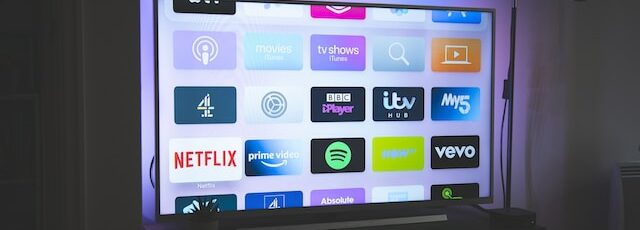
One possible reason why your Vizio TV’s input button may not be functioning is a software problem. The TV’s firmware may be outdated or corrupted, which can cause the input button to stop responding. To resolve this issue, try updating your TV’s firmware to the most recent version. You can visit the Vizio website to download the firmware update file. Follow the instructions given by Vizio to install the update on your TV.
Another possible reason for the malfunctioning input button on your Vizio TV is a hardware problem. The button itself may be faulty, or there may be an issue with the TV’s control board. In such situations, you may need to contact Vizio’s customer support to arrange for repairs or a replacement. Before taking this step, though, attempt a few troubleshooting measures to see if the problem can be resolved without requiring repairs.
One basic troubleshooting measure you can try is to use a different remote control. Sometimes the issue may not be with the TV, but with the remote control. If the input button functions with another remote control, you may need to replace the original remote control or its batteries.
Another troubleshooting measure you can take is to reset your TV to its factory settings. To do this, go to your TV’s settings menu and select “System,” followed by “Reset & Admin,” and then “Reset to Factory Settings.” This will erase all of your settings and preferences, so you’ll need to set up your TV again from scratch. If the input button starts working after the reset, the issue may have been caused by a software problem.
If none of the above troubleshooting measures work, the issue may be related to the TV’s control board or the input button itself. In this case, you may need to contact Vizio’s customer support to arrange for repairs or a replacement. Before contacting customer support, though, ensure that you have the following information available: the TV’s model number, serial number, and proof of purchase. This information will assist customer support in rapidly identifying the TV and providing the appropriate assistance.
In conclusion, a malfunctioning input button on your Vizio TV can be a trying experience, but there are several potential causes and solutions. If your TV’s input button is not functioning, try updating your TV’s firmware, using a different remote control, resetting your TV to its factory settings, or contacting Vizio’s customer support for assistance. With a little troubleshooting, you can get your Vizio TV’s input button working again and enjoy your favorite shows and movies.