SOS is an emergency feature on iPhones that allows users to quickly and easily call for help in a potentially life-threatening situation. The feature was introduced in iOS 11 and is available on all iPhones running that version of the operating system or later. In this answer, we will explore what the SOS feature does, how to use it, and what it means on an iPhone.
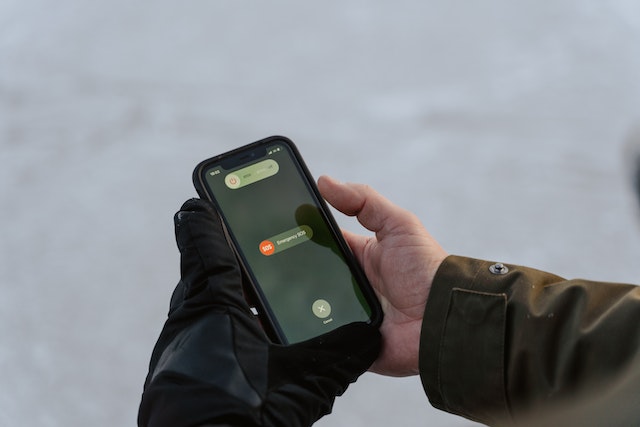
What is the SOS feature on iPhone? The SOS feature is designed to allow users to quickly and easily call for emergency assistance in a potentially life-threatening situation. When activated, the feature will call the local emergency services number (such as 911 in the United States) and send a message to your emergency contacts, letting them know that you have made an emergency call and providing them with your location information.
How to use the SOS feature on iPhone? To use the SOS feature on your iPhone, you need to know how to activate it. Here’s how:
- Press and hold the side button and one of the volume buttons until the Emergency SOS slider appears.
- Drag the Emergency SOS slider to call emergency services. If you continue to hold down the side button and volume button, a countdown begins and an alert sounds. If you don’t want to call emergency services, tap Cancel.
If you are in an area where Emergency SOS is supported, you can also press and hold the side button and volume button on your iPhone to trigger a countdown before it calls emergency services automatically. To enable this feature, go to Settings > Emergency SOS on your iPhone and turn on Auto Call.
What happens when you use the SOS feature on iPhone? When you use the SOS feature on your iPhone, several things happen:
- Your iPhone will call the local emergency services number (such as 911 in the United States) and provide them with your location information.
- Your iPhone will send a message to your emergency contacts, letting them know that you have made an emergency call and providing them with your location information.
- Your iPhone will display your Medical ID (if you have set one up), which can provide emergency responders with important medical information, such as allergies or pre-existing medical conditions.
What does “SOS” mean on iPhone? “SOS” stands for “Save Our Souls” or “Save Our Ship” and is a universal distress signal. In the context of the iPhone’s SOS feature, it is intended to convey the urgent nature of the situation and the need for immediate assistance.
When you activate the SOS feature on your iPhone, the phone will emit a loud alarm sound to alert those around you that you are in need of help. The sound is similar to a siren or air-raid alarm and is designed to be heard from a distance.
In conclusion, the SOS feature on the iPhone is an important tool that can be used to quickly and easily call for emergency assistance in a potentially life-threatening situation. By understanding how to activate and use the feature, you can ensure that you are prepared to get the help you need when you need it most.