When you take out your SIM card from one phone and insert it into another, several things can happen depending on the phones and the carriers involved. Here are some possible scenarios:
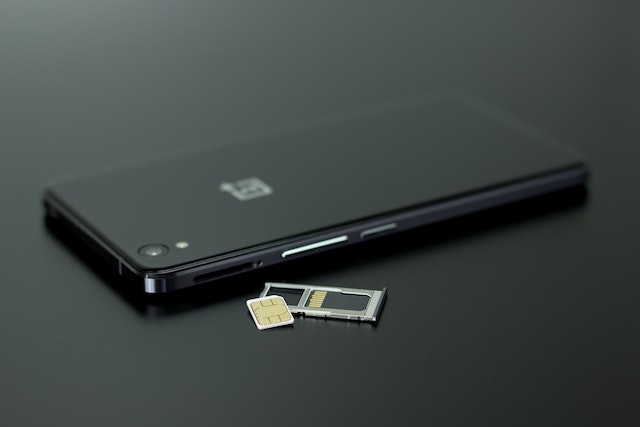
- Switching to a compatible phone: If both phones use the same type of SIM card and are compatible with the same network, then switching the SIM card should be straightforward. You may need to power off both phones before swapping the cards, but once you insert the SIM card into the new phone, it should recognize your phone number, carrier, and plan. You may need to adjust some settings or enter some configuration details if the new phone requires it, but generally, your contacts, messages, and apps should still be accessible.
- Switching to an incompatible phone: If the new phone uses a different type of SIM card, a different network, or a different carrier, then swapping the SIM card may not work. In some cases, the new phone may prompt you to enter a code or contact the carrier to activate the SIM card. In other cases, the new phone may not recognize the SIM card at all or may only work with limited features. For example, you may be able to make emergency calls but not use data or send texts.
- Losing data and settings: Even if the new phone is compatible and the SIM card works, you may still lose some data or settings. This is because some information, such as your Wi-Fi passwords, Bluetooth pairings, or app preferences, may be stored on the phone itself and not on the SIM card. When you switch phones, you may need to re-enter these details or re-download some apps or files. Some apps may also require you to log in again or re-verify your identity.
- Losing security and privacy: When you switch SIM cards, you may also lose some security and privacy protections. For example, if your old phone had a passcode or a biometric lock, the new phone may not have the same level of protection. This means that if someone steals your new phone, they may be able to access your data or accounts more easily. Similarly, if you had enabled two-factor authentication (2FA) on some accounts, such as banking or email, switching phones may require you to re-verify your identity or update your settings.
- Causing billing or activation issues: Finally, switching SIM cards may also cause some billing or activation issues. For example, if your carrier requires you to activate the SIM card before using it, switching phones without notifying them may lead to unexpected charges or service disruptions. Similarly, if you are on a family plan or a shared plan, switching phones may affect the other lines or devices. You may need to contact your carrier to inform them of the change or to troubleshoot any issues.
In conclusion, taking out your SIM card and putting it in another phone can have different outcomes depending on the phones and the carriers involved. While it may be a convenient way to switch devices or use a backup phone, it may also lead to compatibility, security, privacy, or billing issues. It is always recommended to check with your carrier, backup your data, and prepare for some configuration or verification steps when switching SIM cards.
What happens if you Take Out your Sim Card and Put it in Another Phone?