Creating an effective email design for sharing recipes is essential for engaging your audience. A well-structured email can enhance the user experience, making it easy for readers to follow the recipe and enjoy the cooking process.
This guide will provide practical tips on layout, typography, and imagery to ensure your recipe emails are visually appealing and easy to read.
Creating an Engaging Email Layout
When designing an email for sharing recipes, the layout plays a pivotal role in capturing the reader’s attention.
A well-structured format allows the audience to navigate through the content effortlessly.
Start with a vibrant image of the finished dish at the top, setting the tone for what’s to come.
Following the image, a clear title should be prominently displayed, ensuring it stands out.
This helps in immediately informing the reader about the recipe they are about to explore.
Organizing Ingredients Effectively
Next, the ingredient list should be neatly organized for easy reading.
Use bullet points or a simple table format to present the ingredients clearly.
This allows readers to quickly gather what they need without feeling overwhelmed.
Consider using high-resolution images alongside the ingredients to provide visual context.
This not only enhances the aesthetic appeal but also helps readers visualize the dish as they prepare it.
Step-by-Step Instructions
Clear and concise step-by-step instructions are essential for guiding the reader through the cooking process.
Each step should be easy to follow, allowing even novice cooks to feel confident.
Break down the instructions into manageable parts, ensuring they are straightforward and logical.
Incorporating images of each step can further enhance understanding, making the cooking experience more enjoyable.
Call-to-Action Buttons
To encourage interaction, include prominent call-to-action buttons within the email.
Buttons like “Share this Recipe” or “Save for Later” invite readers to engage with the content beyond just reading.
This can help in building a community around your recipes and increase sharing.
Ensure these buttons are visually distinct, making them easy to locate within the layout.
Testing for Compatibility
Before sending out your recipe email, it’s crucial to test the design on various devices.
This ensures that the layout remains consistent and readable, whether viewed on a desktop or mobile device.
Check for any formatting issues that may arise and adjust accordingly.
By prioritizing compatibility, you enhance the user experience, making it more likely that readers will return for future recipes.
Final Touches for Visual Appeal
In addition to the structural elements, consider the overall visual appeal of the email.
A light and airy background can make the text more readable and inviting.
Choose a clean font that contrasts well with the background to ensure clarity.
Lastly, don’t forget to include social media links for further engagement.
This allows readers to connect with you on different platforms, fostering a sense of community around your culinary creations.
Tips for Designing Recipe Emails
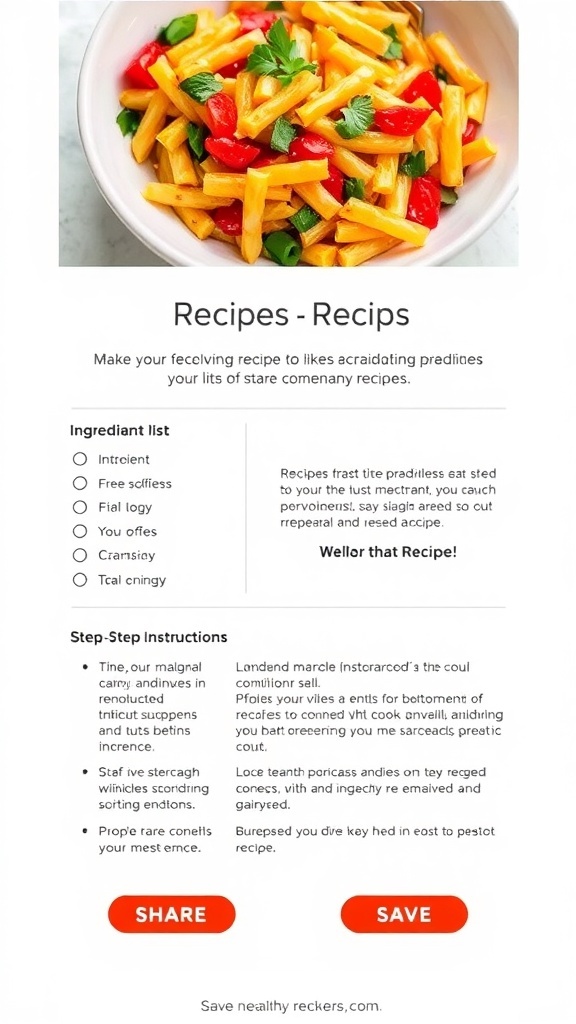
A successful recipe email design includes a clear layout that highlights the recipe title, ingredients, and instructions. Use high-quality images to showcase the dish, and ensure that the text is easy to read on both desktop and mobile devices.
Ingredients
- Clear and concise title
- High-resolution images of the dish
- Ingredient list formatted for easy reading
- Step-by-step instructions
- Call-to-action buttons for sharing or saving the recipe
- Social media links for further engagement
Instructions
- Choose a clean and simple layout that guides the reader’s eye through the content.
- Use a legible font for the text, ensuring it contrasts well with the background.
- Incorporate images of the finished dish to entice readers and provide visual context.
- Organize the recipe into sections: title, ingredients, instructions, and any additional notes.
- Include a call-to-action button, such as ‘Share this Recipe’ or ‘Save for Later’, to encourage interaction.
- Test the email design on various devices to ensure compatibility and readability.
Cook and Prep Times
- Prep Time: 15 minutes
- Design Time: 30 minutes
- Total Time: 45 minutes
- Servings: N/A
- Calories: N/A
- Fat: N/A
- Protein: N/A
- Carbohydrates: N/A
Related
- LG 27GP950 Review: Design, Features, Performance & More
- Samsung U28R55 Review: Design, Features, Performance & More
- 6 Best Graphics Cards For Graphic Design
- PC Case Design