Fire TV is a streaming device that allows you to stream movies, TV shows, music, and games on your TV. With the recent update, Fire TV also allows you to make video calls using your TV. This feature is a great addition to the already extensive list of features provided by Fire TV. In this article, we will explain how to make video calls using Fire TV.
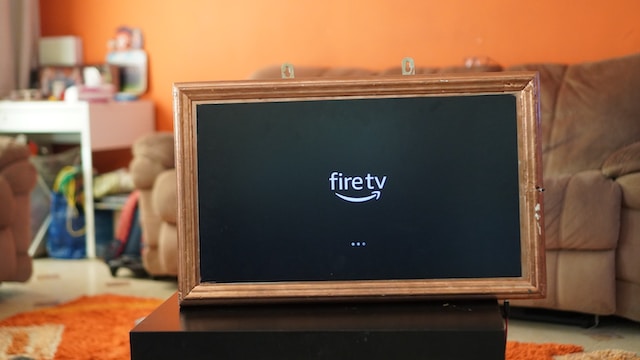
First, you need to ensure that your Fire TV device is compatible with the video calling feature. The video calling feature is available on the Fire TV Cube, Fire TV Stick (3rd Gen), and Fire TV Stick Lite (2020 model). If you have one of these devices, you can proceed to set up the video calling feature.
To set up the video calling feature, you need to have an Amazon account and a compatible device with a camera and microphone. You can use the camera and microphone on your TV if it has them, or you can purchase a compatible camera and microphone for your Fire TV device.
Once you have a compatible device, you need to download the Alexa app on your smartphone or tablet. The Alexa app is available for free on the App Store and Google Play Store.
After you have downloaded the Alexa app, you need to connect your Fire TV device to the Alexa app. To do this, open the Alexa app and select the “Devices” tab. From there, select “Fire TV” and then select “Set Up.”
The app will guide you through the setup process, which includes connecting your Fire TV device to your Wi-Fi network, signing in to your Amazon account, and selecting your TV as the default display device for video calls.
Once you have completed the setup process, you can make video calls using your Fire TV device. To make a video call, you need to say “Alexa, call [contact name]” or “Alexa, call [contact name] on Fire TV.” If the contact has an Echo Show or Echo Spot device, the call will be initiated on their device, and they will be able to see you on their screen. If the contact does not have an Echo device, they will receive a notification on their smartphone or tablet, and they can join the call using the Alexa app.
During the call, you can use voice commands to control the call, such as “Alexa, turn up the volume” or “Alexa, mute the microphone.” You can also end the call by saying “Alexa, end call.”
One important thing to note is that you need to have a good internet connection for video calls to work properly. If your internet connection is slow or unstable, the video call quality may suffer.
In conclusion, the video calling feature on Fire TV is a great addition that allows you to make video calls using your TV. To set up the feature, you need to have a compatible device with a camera and microphone, an Amazon account, and the Alexa app. Once set up, you can make video calls using voice commands and control the call using your voice. Just ensure that you have a good internet connection for the best video call experience.