When it comes to the operation of a hard drive, it is normal for it to produce some noise. However, if the noise is significantly loud, it could be an indication of an underlying problem. In this article, we will explore some of the reasons why a hard drive can be loud, and what you can do to fix the issue.
Reasons for a loud hard drive
- Mechanical issues
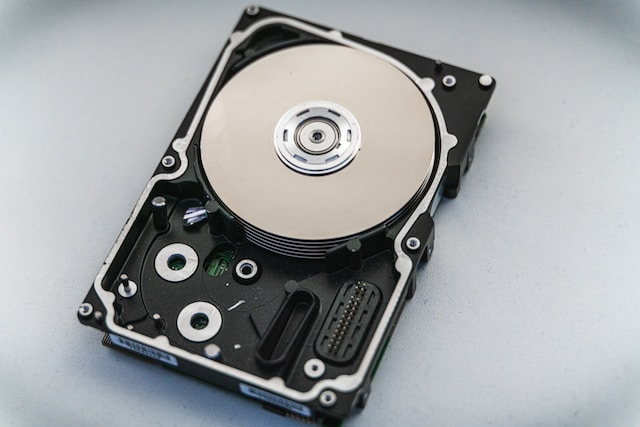
The hard drive consists of moving parts, and any mechanical issues can lead to a loud noise. One of the common problems is a faulty spindle motor. This is the part responsible for spinning the platters in the hard drive. When the spindle motor is damaged, it can produce a loud clicking or grinding sound.
Another mechanical issue that can cause a loud hard drive is a damaged read/write head. This part is responsible for reading and writing data to the platters. If it is damaged, it can cause a scratching or clicking sound.
- High disk activity
Another reason why your hard drive may be loud is due to high disk activity. When your hard drive is constantly reading and writing data, it can produce a noticeable hum. This is especially true when running applications or processes that require a lot of disk usage.
- Malware or virus
Malware or viruses can also cause a loud hard drive. Some malware is designed to run in the background, consuming your computer’s resources, including your hard drive. This can cause your hard drive to work harder than normal, leading to a loud noise.
- Overheating
When your computer’s hard drive overheats, it can cause a loud noise. This is because the internal components expand as they heat up, leading to more vibration and noise. Overheating can also cause other issues with your computer, so it is important to address the issue promptly.
Solutions for a loud hard drive
- Check for malware or virus
If your hard drive is producing a loud noise, one of the first things you should do is run a virus scan. This will help you identify any malicious software that may be causing the issue. If a virus or malware is detected, make sure to remove it immediately.
- Defragment your hard drive
If your hard drive is constantly working, it may be due to fragmentation. Defragmenting your hard drive can help reduce the noise by optimizing the placement of data on the disk. You can do this using the built-in defragmentation tool on Windows or a third-party program.
- Check for mechanical issues
If the loud noise is due to mechanical issues, you may need to take your hard drive to a professional for repairs. Attempting to fix it yourself may cause further damage. A professional can diagnose and repair the issue, whether it is a damaged spindle motor or read/write head.
- Clean your computer
Dust and debris can accumulate inside your computer, causing it to overheat. This can lead to a loud hard drive. To prevent this, make sure to clean your computer regularly. Use compressed air to blow out any dust and debris inside your computer.
- Replace your hard drive
If none of the above solutions work, you may need to replace your hard drive. A loud hard drive may be a sign that your hard drive is failing. Before you do this, make sure to back up your important data to prevent loss.
Conclusion
A loud hard drive can be a cause for concern. If left unchecked, it can lead to data loss or other issues with your computer. It is important to address the issue promptly to prevent further damage. By following the solutions listed above, you can identify and fix the issue with your hard drive.