A hard drive is a crucial element of a computer, responsible for storing and retrieving data. However, frequent disconnections of the hard drive can lead to data loss and instability in the system. Several factors could cause a hard drive to disconnect, including issues related to hardware, software, and power supply.
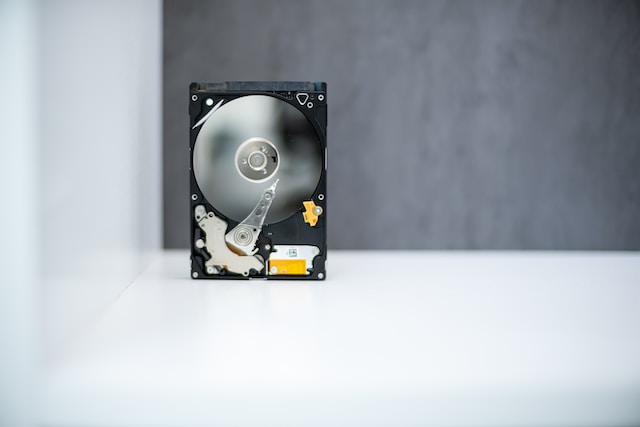
Hardware problems are the most common cause of hard drive disconnections. The hard drive may not be correctly attached to the computer, or the cable connecting it may be faulty. To resolve this issue, one should check the connections between the hard drive and the computer, ensuring that they are secure. A damaged cable should be replaced with a new one.
Failing hard drives can also cause disconnections. The components of the hard drive may wear out over time, causing it to malfunction. Users may hear clicking or grinding noises from the drive when this happens. In such cases, the hard drive must be replaced immediately.
Software issues can also cause disconnections. Outdated or corrupted drivers are one of the most common causes of software-related hard drive disconnections. Drivers are software components that enable the operating system to communicate with the hard drive. Updating or reinstalling the drivers should fix this issue.
Virus or malware infections can also cause system instability and interfere with the hard drive’s functioning. Running antivirus software and removing any detected threats can help address this problem.
Power issues can also cause hard drives to disconnect. If the hard drive does not receive enough power, it may disconnect from the computer. A faulty power supply or power surge can cause this. Users should check the power supply and ensure that it provides enough power to the computer. If the power supply is defective, replacing it with a new one is necessary.
Power surges can also cause disconnections and damage to the hard drive and other computer components. To prevent this, one can use a surge protector or an uninterruptible power supply (UPS) to regulate the voltage.
To prevent frequent hard drive disconnections, users should identify the cause of the problem and take appropriate measures to address it. In case the hard drive is failing, prompt replacement is essential to avoid data loss. Taking proactive measures to prevent hard drive disconnections ensures stable and reliable computer systems.