Mounting screws are an important element of installing a hard drive in a computer. They are used to secure the hard drive in place within the computer case. In this article, we will provide you with everything you need to know about hard drive mounting screws.
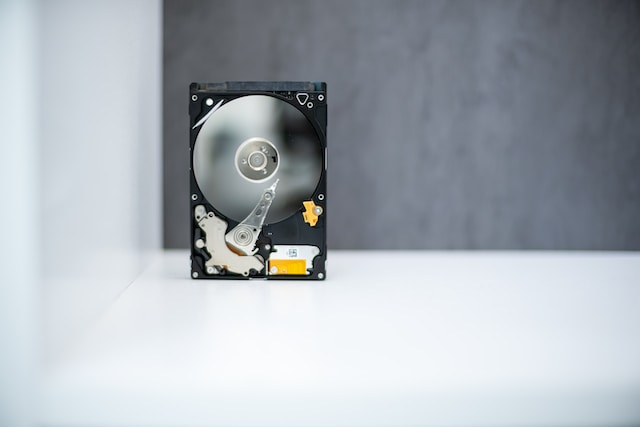
What are hard drive mounting screws?
Hard drive mounting screws are small, durable screws that are designed to attach a hard drive to a computer case. They come in different sizes and styles based on the type of hard drive and the computer case being used.
Why are hard drive mounting screws important?
The screws are crucial as they prevent the hard drive from moving around within the computer case. Without them, the hard drive may cause damage to itself or other computer components. Additionally, the screws can absorb vibrations and shocks, which ultimately increases the lifespan of the hard drive.
Types of hard drive mounting screws
The two most common types of hard drive mounting screws are 6-32 UNC and M3. The former has a diameter of 0.138 inches and a thread pitch of 32 threads per inch. The latter has a diameter of 3mm and a thread pitch of 0.5mm. However, some hard drives may come with their own mounting screws that fit precisely with that specific hard drive. Specialty screws, like thumb screws, are also available for easy tightening and loosening by hand.
How to install hard drive mounting screws
The process of installing hard drive mounting screws is simple. Follow these steps:
- Locate the hard drive mounting holes in the computer case.
- Align the hard drive with the mounting holes and place it into the hard drive cage.
- Insert the mounting screws into the holes and tighten them until they are snug. Avoid overtightening the screws as it may damage the hard drive.
- Repeat the process for any additional hard drives.
Tips for working with hard drive mounting screws
Consider these tips when working with hard drive mounting screws:
- Ensure that you are using the appropriate size and type of screw for your hard drive and computer case.
- Avoid overtightening the screws to prevent damage to the hard drive.
- If the mounting holes do not align correctly, try to gently bend the hard drive cage for easy installation.
- Ensure proper spacing between multiple hard drives to allow for adequate airflow and cooling.
Conclusion
In conclusion, hard drive mounting screws are a crucial component in the installation of hard drives within a computer case. They securely attach the hard drive in place and absorb vibrations or shocks. It is important to use the correct size and type of screw and avoid overtightening them. By following these tips, you can easily install your hard drive with confidence.