A hard drive is an essential component of a computer system that stores all the data, including the operating system, applications, and user files. Over time, hard drives can slow down, causing frustration and productivity loss. In this article, we will discuss the reasons behind a slow hard drive and some steps to improve its performance.
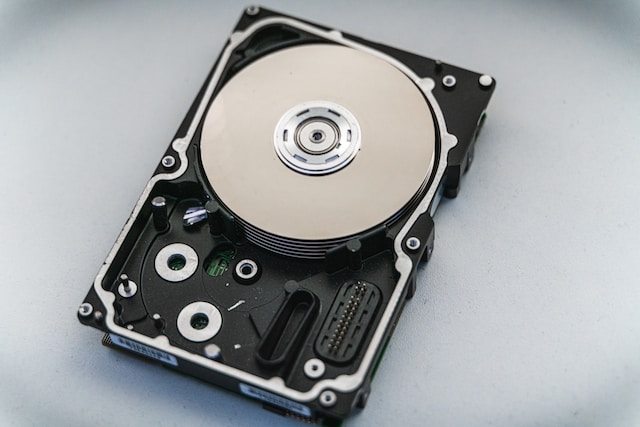
Reasons for a slow hard drive
- Fragmentation: Fragmentation is a common cause of slow hard drives. When files are written to the hard drive, they are often broken up into smaller pieces, and the pieces are stored in different physical locations on the hard drive. Over time, this can cause the hard drive to become fragmented, which means that the pieces of a single file are stored in different locations on the hard drive. This can slow down the computer’s performance as the hard drive has to spend more time seeking the different pieces of the file.
- Low disk space: Another common cause of slow hard drives is low disk space. If the hard drive is almost full, the operating system and applications may not have enough space to work efficiently. This can cause the computer to slow down and can even cause crashes and other issues.
- Outdated hardware: Hard drives have come a long way in recent years, and older hard drives may not be able to keep up with modern operating systems and applications. This can cause slow performance, especially when running memory-intensive applications like video editing or gaming.
- Malware or viruses: Malware and viruses can also slow down a hard drive. These malicious programs can use up system resources, cause crashes, and even delete files.
- Aging hardware: Like any electronic device, hard drives can wear out over time. As a hard drive ages, it may develop bad sectors or other issues that can slow down performance.
Steps to improve hard drive performance
- Defragment the hard drive: One of the first steps to improve hard drive performance is to defragment the hard drive. Defragmenting the hard drive organizes the files so that the pieces of a single file are stored in the same location on the hard drive. This can speed up the hard drive’s performance as it no longer has to spend time seeking the different pieces of the file.
- Free up disk space: Another step to improve hard drive performance is to free up disk space. This can be done by deleting unnecessary files, uninstalling unused applications, and moving large files to an external hard drive or cloud storage. By freeing up disk space, the operating system and applications will have more room to work efficiently, which can improve performance.
- Upgrade hardware: If the hard drive is outdated or aging, it may be time to upgrade to a newer, faster model. Solid-state drives (SSDs) are becoming increasingly popular as they offer faster read and write speeds than traditional hard drives.
- Install antivirus software: To protect the computer from malware and viruses, it’s essential to install antivirus software. This software can scan the computer for malicious programs and remove them, which can improve hard drive performance.
- Run regular maintenance: Finally, it’s essential to run regular maintenance on the computer, including disk cleanup, disk error checking, and system updates. These maintenance tasks can help keep the computer running smoothly and prevent performance issues.
Conclusion
A slow hard drive can cause frustration and productivity loss, but it’s essential to understand the reasons behind the slow performance and take steps to improve it. By defragmenting the hard drive, freeing up disk space, upgrading hardware, installing antivirus software, and running regular maintenance, users can improve their hard drive’s performance and enjoy a smoother computing experience.