When a hard drive spins but is not detected by the computer, it can be a frustrating experience. There are several reasons why this may happen, including hardware issues, software issues, and user error. In this answer, we will explore some of the most common causes of this problem and suggest some solutions.
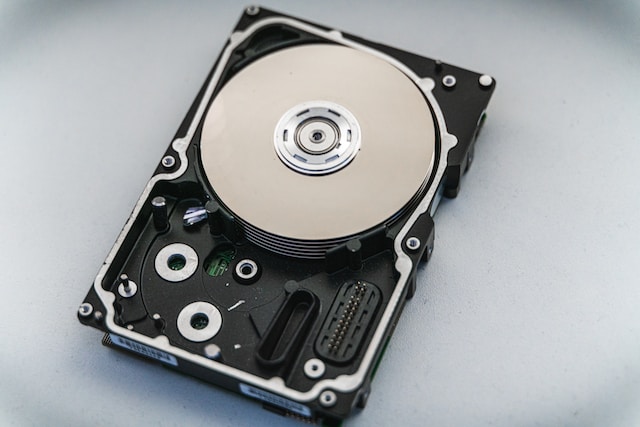
Hardware Issues:
- Faulty Connections: One of the most common reasons for a hard drive to spin but not be detected is a faulty connection. If the data cable or power cable connecting the hard drive to the motherboard is loose or faulty, the hard drive will not be detected. To fix this problem, you should check all the connections and make sure they are securely connected.
- Failed Hard Drive: Another reason for a hard drive to spin but not be detected is a failed hard drive. This can happen due to physical damage or other issues with the drive itself. In this case, the hard drive will need to be replaced.
- Power Supply Issues: A hard drive may also fail to be detected if there is a problem with the power supply. The power supply may not be providing enough power to the hard drive or may be faulty. This can cause the hard drive to spin but not be detected. To fix this problem, you should check the power supply and replace it if necessary.
Software Issues:
- Driver Issues: If the hard drive is not detected, it could be a driver issue. The drivers for the hard drive may not be installed correctly, or they may be outdated. To fix this problem, you can try updating the drivers or reinstalling them.
- BIOS Settings: Another reason why a hard drive may not be detected is that the BIOS settings may not be configured correctly. You may need to enter the BIOS settings and check if the hard drive is listed as one of the boot devices. If it is not, you may need to change the boot order and make sure that the hard drive is set as the primary boot device.
User Error:
- Unpartitioned Drive: A hard drive may not be detected if it is not partitioned correctly. If the hard drive is new, it may not have been partitioned, which will prevent it from being detected. To fix this problem, you will need to partition the hard drive using a partitioning tool.
- Incorrect Installation: A hard drive may not be detected if it has been installed incorrectly. You may have connected the data cable or power cable incorrectly, which can prevent the hard drive from being detected. To fix this problem, you should check the installation and make sure everything is connected correctly.
Conclusion:
In conclusion, a hard drive spinning but not detected can be a frustrating experience. However, there are several reasons why this may happen, including hardware issues, software issues, and user error. To fix the problem, you will need to diagnose the cause of the issue and take appropriate action. In most cases, checking the connections and updating drivers or BIOS settings will solve the problem. However, if the hard drive has failed, you may need to replace it.