Seagate is one of the world’s leading manufacturers of hard disk drives and storage solutions. It offers a wide range of products that cater to various industries, from personal computing to enterprise-level data storage. With its reputation for reliability and performance, Seagate provides warranties for its products to ensure customer satisfaction.
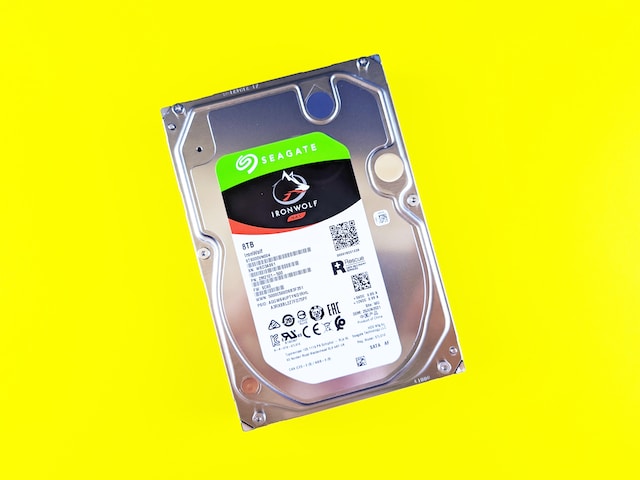
If you’re a Seagate hard drive owner, it’s essential to check your warranty coverage periodically to ensure that your device is still protected. Fortunately, Seagate provides several ways to check your hard drive warranty status.
Here are the different methods to check your Seagate hard drive warranty:
- Using Seagate’s Website:
Seagate has a dedicated webpage that lets you check your hard drive warranty. You can access it by visiting https://www.seagate.com/support/warranty-and-replacements/. Once you’re on the page, click on the “Warranty & Replacements” tab and select “Check Warranty” from the drop-down menu.
You will then be prompted to enter the serial number of your Seagate hard drive. You can find the serial number on the label attached to the hard drive itself or on the original packaging. After entering the serial number, click on the “Submit” button, and the website will display your hard drive’s warranty information, including the start and end dates.
- Using Seagate’s Warranty Checker Tool:
Seagate also provides a warranty checker tool that you can download and install on your computer. The tool is available for Windows and Mac OS and can be downloaded from Seagate’s website at https://www.seagate.com/support/warranty-and-replacements/sea-tools-for-windows/.
Once you’ve installed the tool, launch it, and click on the “Check Warranty” button. You will then be prompted to enter your Seagate hard drive’s serial number. After entering the serial number, click on the “Submit” button, and the tool will display your hard drive’s warranty information.
- Contacting Seagate’s Support Team:
If you’re having trouble checking your Seagate hard drive warranty using the above methods, you can contact Seagate’s support team for assistance. You can find the contact details for Seagate’s support team on their website at https://www.seagate.com/support/contact-support/.
When contacting Seagate’s support team, make sure you have your hard drive’s serial number and any other relevant information, such as the date of purchase, available. The support team will then be able to assist you in checking your hard drive warranty.
Seagate hard drive warranties vary depending on the product type and the region where it was purchased. Typically, Seagate hard drives come with a three-year limited warranty, although some products may come with a five-year or longer warranty.
The warranty covers defects in materials and workmanship that may arise during the warranty period. It does not cover damage caused by accidents, misuse, or unauthorized repairs. Seagate also offers an optional data recovery service that can be purchased separately and provides additional protection for your data.
If your Seagate hard drive is still under warranty and you encounter a problem, you can contact Seagate’s support team for assistance. They will provide you with instructions on how to return your hard drive for repair or replacement. Seagate will cover the cost of shipping the hard drive back to them, but you will need to cover the cost of shipping it to them.
In conclusion, checking your Seagate hard drive warranty is an important step to ensure that your device is still protected. Seagate provides several ways to check your warranty status, including using their website, warranty checker tool, and contacting their support team. By staying up-to-date on your warranty coverage, you can ensure that your Seagate hard drive is protected against defects and malfunctions that may arise during the warranty period.