Soldering an HDMI port can be a useful skill to have if you’re working with electronics, particularly if you’re looking to repair or replace a damaged port. Soldering is the process of using a metal alloy to join two or more metal surfaces together, and it’s a technique that’s commonly used in electronic repairs. Here are the steps to solder an HDMI port:
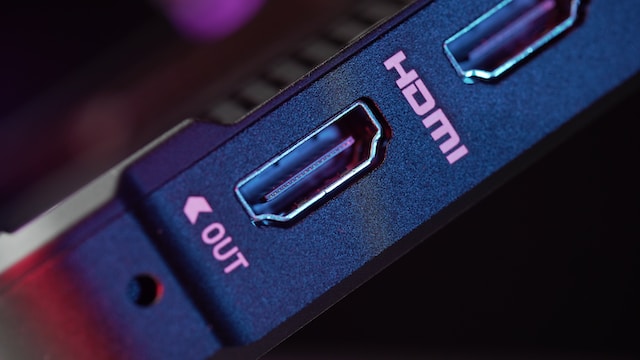
- Prepare the tools and materials: Before you begin, make sure you have all the necessary tools and materials. You’ll need a soldering iron, solder wire, a desoldering pump or braid, flux, and a replacement HDMI port.
- Remove the damaged port: If you’re replacing a damaged HDMI port, you’ll need to remove it first. To do this, use a desoldering pump or braid to remove the solder from the pins of the port. Be careful not to damage the PCB or any other components nearby while doing this.
- Clean the area: Once you’ve removed the damaged port, use isopropyl alcohol and a clean cloth or cotton swab to clean the area around the HDMI port. This will help ensure that there’s no dirt, dust, or debris that could interfere with the soldering process.
- Apply flux: Next, apply flux to the pads on the PCB where the HDMI port will be soldered. Flux is a substance that helps solder flow more easily, and it also helps prevent oxidation on the metal surfaces.
- Position the replacement port: Carefully position the replacement HDMI port on the PCB. Make sure it’s aligned properly with the pads and the holes in the PCB.
- Solder the pins: Heat up the soldering iron and apply it to one of the pins of the HDMI port. Once the solder starts to melt, apply a small amount of solder wire to the joint. Be careful not to apply too much solder, as this can create a “blob” that could interfere with the other pins.
- Repeat for all pins: Repeat the soldering process for each pin of the HDMI port. Take care to work quickly but carefully, as the heat from the soldering iron can damage the PCB or other components if it’s applied for too long.
- Inspect the joints: Once you’ve soldered all the pins, inspect the joints to make sure they’re clean and smooth. If there are any blobs of solder or bridges between pins, use a desoldering pump or braid to remove the excess solder.
- Test the connection: Finally, test the connection by plugging in an HDMI cable and checking for a signal. If everything’s working properly, you’re done!
Soldering an HDMI port can be a bit challenging, especially if you’re not experienced with soldering. If you’re new to soldering, it’s a good idea to practice on some scrap electronics before attempting to solder an HDMI port. Make sure to use proper safety precautions, such as wearing safety glasses and working in a well-ventilated area.
In conclusion, soldering an HDMI port can be a useful skill to have, particularly if you’re working with electronics. With the right tools and materials, and a bit of practice, it’s possible to successfully solder an HDMI port and restore a damaged device to working condition.