Creating an effective user interface (UI) for recipe applications is essential for enhancing user experience. A well-designed UI allows users to easily navigate through recipes, search for ingredients, and access cooking instructions seamlessly.
This guide provides practical tips on how to design a user-friendly recipe application interface, focusing on layout, accessibility, and visual appeal.
Importance of User Interface in Recipe Applications
A well-crafted user interface (UI) is vital for recipe applications, significantly impacting user satisfaction and engagement.
With an intuitive design, users can navigate effortlessly through various recipes, making the cooking process enjoyable and stress-free.
The UI should facilitate easy access to essential features, such as ingredient lists and cooking instructions, ensuring that users can focus on creating delicious meals.
Key Elements of Recipe Application UI Design
When designing a recipe application, several key elements must be prioritized to enhance usability.
An intuitive navigation menu is fundamental, allowing users to find recipes quickly without frustration.
The display of ingredients and instructions should be clear and concise, paired with high-quality images that entice users to try the dishes.
Incorporating features like search filters can further streamline the user experience, enabling users to find specific recipes based on their preferences.
User ratings and reviews can also provide valuable insights, helping users make informed decisions about which recipes to try.
Lastly, a favorite recipes feature can personalize the experience, allowing users to save their go-to dishes for easy access.
Visual Appeal and Readability
The visual design of a recipe application plays a crucial role in attracting and retaining users.
Choosing a harmonious color palette and typography enhances readability, making it easier for users to follow along with recipes.
High-quality images of the dishes not only add visual interest but also inspire users to recreate the meals themselves.
In addition to aesthetics, the layout should be organized and uncluttered, allowing users to focus on the content.
A clean design can help prevent distractions, ensuring that users can concentrate on cooking without feeling overwhelmed by excessive information.
Prototyping and User Testing
Creating a prototype is an essential step in the design process, allowing designers to visualize the application’s layout and flow.
Wireframes can help in mapping out the user journey, ensuring that all necessary features are included.
Once a prototype is developed, usability testing can provide valuable feedback from real users, highlighting areas for improvement.
Iterating on the design based on user feedback is crucial for refining the application.
Testing different layouts, color schemes, and features can lead to a more user-friendly experience, ultimately resulting in a successful recipe application.
Emphasizing the Cooking Theme
Incorporating a kitchen setting as the background for the application can enhance the cooking theme, creating an inviting atmosphere for users.
This contextual design element can evoke a sense of warmth and familiarity, making users feel more connected to the cooking process.
Using subtle kitchen imagery can also reinforce the purpose of the application, reminding users that they are in a space dedicated to culinary exploration.
Conclusion: A Seamless Cooking Experience
In summary, a sleek and modern user interface design for a recipe application can significantly enhance the cooking experience.
By focusing on key elements such as intuitive navigation, visual appeal, and user feedback, designers can create an application that is both functional and enjoyable.
Ultimately, the goal is to empower users to explore new recipes and enjoy the art of cooking with ease.
Key Elements of Recipe Application UI Design
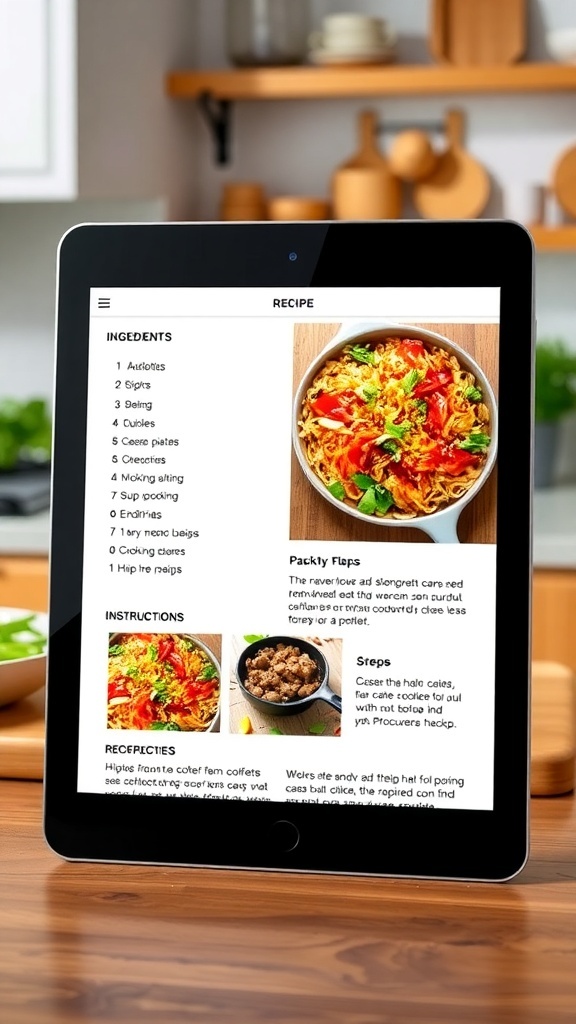
A successful recipe application UI should prioritize simplicity and clarity. Key elements include an intuitive navigation menu, a clear display of ingredients and instructions, and visually appealing images of the dishes. Consider incorporating features like search filters, user ratings, and the ability to save favorite recipes for a personalized experience.
Ingredients
- Intuitive navigation menu
- Clear display of ingredients and instructions
- Visually appealing images of dishes
- Search filters for easy access
- User ratings and reviews
- Favorite recipes feature
Instructions
- Define the target audience and their needs for a recipe application.
- Sketch wireframes to visualize the layout and flow of the application.
- Choose a color palette and typography that enhances readability and appeal.
- Develop a prototype to test usability and gather feedback.
- Iterate on the design based on user feedback and testing results.
Cook and Prep Times
- Prep Time: N/A
- Cook Time: N/A
- Total Time: N/A
- Servings: N/A
- Calories: N/A
- Fat: N/A
- Protein: N/A
- Carbohydrates: N/A
Related
- LG 27GP950 Review: Design, Features, Performance & More
- Samsung U28R55 Review: Design, Features, Performance & More
- 6 Best Graphics Cards For Graphic Design
- PC Case Design