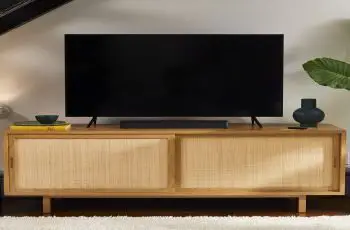
Adding a soundbar to a TV can immediately improve the overall sound quality and clarify dialogues, especially one from Bose. You can connect your Bose soundbar to TV in various ways, with the most common interfaces being HDMI and Optical. Bluetooth is also a viable option only if your TV or soundbar supports it.
If you’re doing this for the first time, check out this guide to connect Bose soundbar to TV. We’ll show you how to set everything up in easy-to-follow steps and make sure you have it all ready just before the movie night or game day.
Connect Bose Soundbar to TV via HDMI ARC
Provided your TV supports ARC (Audio Return Channel) functionality, all you need is an HDMI cable to connect your Bose Soundbar to it. It’ll allow the soundbar to receive audio signals from other media devices connected to your TV’s other HDMI ports. Plus, you’ll be able to control the power and adjust the volume of your Bose soundbar with your TV remote.
If you aren’t sure whether your TV has HDMI ARC support, take a look at the back of your TV for the “HDMI 1” port. You’re good to go as long as there’s an “ARC” or “eARC” label next to it. Here’s how you can connect your Bose soundbar to your TV via HDMI:
- First, make sure both your TV and soundbar are powered OFF.
- Next, take the HDMI cable and insert one of its ends into your TV’s HDMI (ARC) or HDMI (eARC) port. Note HDMI connectors only fit in one way.
- After that, insert the other end into the HDMI (ARC) port on the back of your Bose soundbar.
- Connect the power cord to its respective port on the soundbar, then plug the other end into an AC outlet nearby.
Once you power on your Bose soundbar, your TV should automatically switch to HDMI ARC as the primary sound output source. If not, go to your TV’s on-screen settings menu and enable ARC.
You may also need to manually turn on CEC (Consumer Equipment Control) to control your soundbar with your TV remote. Those unable to find the following settings should refer to their TV’s user manual.
Some TVs continue using built-in speakers alongside the ARC-enabled speaker system or soundbar to amplify the output, but it results in poor-quality audio sometimes. Thus, we suggest turning off TV speakers from your TV’s sound settings.
Also, see – Best SCART to HDMI Converters
Connect Bose Soundbar to TV via Optical
The Optical audio interface has existed for decades and continues to live on as an HDMI ARC substitute on modern media devices. Assuming you have an older TV lacking an ARC-enabled HDMI port, Optical is a suitable alternative for connecting your Bose Soundbar.
It also helps if you can’t get your soundbar to work with your TV over HDMI ARC, though you won’t have access to fancy features like CEC and lossless spatial audio output (e.g., Dolby Atmos, DTS:X). Simply perform the steps below to connect your Bose soundbar to the TV via Optical.
- Start with removing the protective cap from both ends of the optical/TOSLINK cable supplied with your Bose soundbar.
- Now align one end of the plug with your TV’s Optical Out port and insert it carefully. Some TV brands also use S/PDIF or Digital Out to label the following port.
- Similarly, align the plug on the other end of the cable with your Bose soundbar’s Optical In port, and firmly push it in until you feel a click.
- Next, connect the power cord to your soundbar and plug the prong end into an AC outlet nearby.
Once you power on both your devices, your TV should automatically detect your Bose soundbar and vice-versa over the Optical port. However, some users may need to visit their TV’s sound output settings and manually select Optical or S/PDIF to get the soundbar working.
Once again, we advise you to disable your built-in TV speakers from the settings for the best possible audio quality. Additionally, look for the “Audio Output” setting and set it to Fixed. Otherwise, turn your TV volume to the maximum available level, then lower it down using the soundbar remote.
Connect Bose Soundbar to TV via Bluetooth
If you want a cable-free setup for some reason, Bluetooth is your only option to connect your Bose soundbar wirelessly to your TV. Of course, that requires your TV to send sound to your soundbar via Bluetooth, a feature that not all TVs out there widely support.
Once you confirm both your TV and Bose soundbar support the A2DP or Advanced Audio Distribution Profile, use these instructions to pair them over Bluetooth:
- First, press and hold the Bluetooth button on your soundbar remote until the Bluetooth LED indicator on the soundbar starts blinking. It means your soundbar is in discovery mode.
- Navigate to the Bluetooth menu (usually found in Settings) on your TV and select your Bose soundbar model from the list of available devices.
- If asked for a PIN, try entering “0000” or “1234” to go through the pairing request.
We’ve included the above instructions simply for reference. The actual process may vastly differ depending on your TV brand.
For example, if you own an LG Smart TV, go to the Settings > Advanced Settings > Sound menu and select Sound Out. After that, select LG Sound Sync Bluetooth from the options, and finally choose your Bose soundbar to pair.
Those with a Sony, Samsung, TCL, or Vizio TV should check out the user manual or search the web for proper step-by-step instructions.
Read – Bluesound vs Sonos: Differences & Comparison
Other ways to connect Bose Soundbar to TV
If your TV has neither an HDMI ARC port nor an Optical output, consider connecting the AUX-In jack on your soundbar to the TV’s 3.5mm Audio Out or Headphone jack using an auxiliary cable. However, note an AUX cable with a TRS jack can only carry stereo audio and not any of the surround sound formats your Bose soundbar may otherwise support.
For even older TV models, you can also use a stereo-RCA-to-3.5mm adapter for connecting the soundbar to the TV’s red and white-colored RCA jacks.
To Conclude
This guide outlines the various ways to connect a Bose soundbar to your TV. We only recommend connecting the soundbar over HDMI and Optical because of the seamless compatibility across different TV models.
Sure, you can use Bluetooth too if available, but the higher transmission latency will cause lip-sync issues. Furthermore, external interference can cause audio dropouts, which can be pretty annoying.