This graphic design recipe outlines essential steps and techniques to create visually appealing designs. Whether you’re a beginner or looking to refine your skills, this guide provides practical tips for effective design.
The process involves understanding design principles, selecting the right tools, and applying creative techniques to achieve professional results.
Creating an Inspiring Workspace
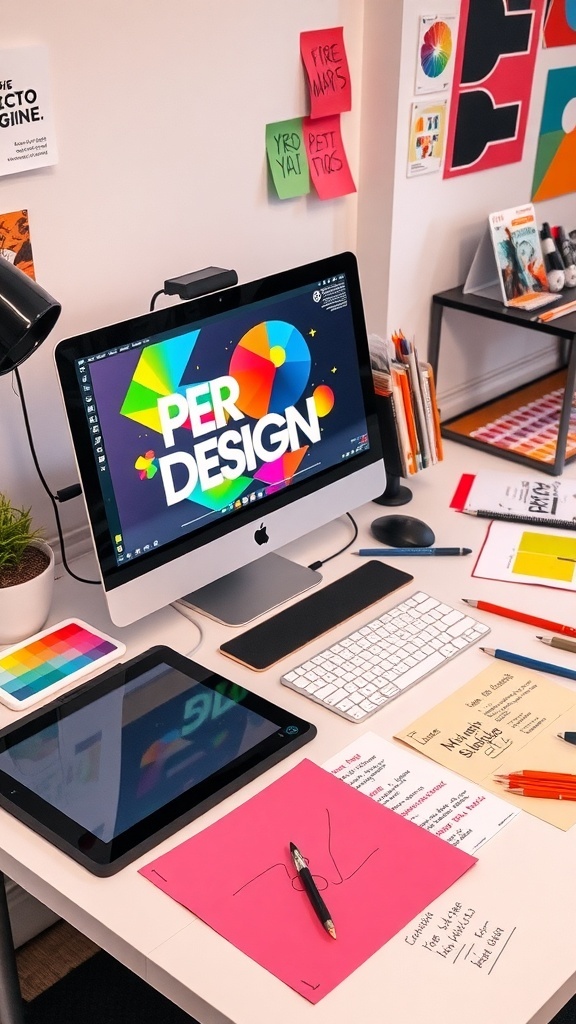
A vibrant workspace can significantly enhance creativity and productivity.
Designers thrive in environments that stimulate their imagination and provide easy access to essential tools.
Incorporating elements like a well-organized desk, ample lighting, and inspiring visuals can transform an ordinary space into a creative haven.
Essential Design Tools
Having the right tools at your fingertips is crucial for any graphic designer.
A graphics tablet, color swatches, and typography samples are just a few items that can make a difference in your workflow.
These tools not only aid in the design process but also serve as a source of inspiration, allowing for experimentation and exploration of ideas.
Color and Typography Choices
Color selection plays a vital role in graphic design.
Choosing a cohesive color palette can set the tone for your project and convey the intended message effectively.
Similarly, typography choices should complement your design style while ensuring readability.
Experimenting with different fonts can lead to unique and engaging results.
Organizing Your Creative Process
Keeping your workspace organized is essential for maintaining focus and efficiency.
Scattered sketches and notes can reflect the creative process, but a cluttered desk can lead to distractions.
Utilizing layout templates or grids can help structure your designs and keep your workspace tidy.
Incorporating Feedback and Revisions
Design is an iterative process, and incorporating feedback is key to refining your work.
Reviewing your designs with fresh eyes or seeking input from peers can provide valuable insights.
Making necessary adjustments based on feedback can elevate your project and enhance its overall impact.
Final Touches for a Cohesive Design
Applying design principles such as contrast, alignment, repetition, and proximity can create a cohesive look.
These principles help in organizing elements effectively, ensuring that your design communicates the intended message clearly.
Taking the time to review and revise your work can lead to stunning visuals that resonate with your audience.
Essential Steps for Effective Graphic Design
This graphic design recipe covers key elements such as color theory, typography, layout, and image selection. By following these guidelines, you can create designs that are not only aesthetically pleasing but also communicate your message effectively.
Ingredients
- Design software (e.g., Adobe Photoshop, Illustrator, or Canva)
- Color palette selection
- Typography choices (fonts and styles)
- High-quality images or graphics
- Layout templates or grids
- Design principles (contrast, alignment, repetition, proximity)
Instructions
- Define Your Purpose: Determine the goal of your design and the audience you want to reach.
- Choose a Color Palette: Select colors that align with your brand or message, ensuring they work well together.
- Select Typography: Choose fonts that are readable and complement your design style.
- Create a Layout: Use grids or templates to organize your elements effectively, ensuring a balanced composition.
- Incorporate Images: Use high-quality images or graphics that enhance your design and support your message.
- Apply Design Principles: Ensure contrast, alignment, repetition, and proximity are considered to create a cohesive design.
- Review and Revise: Evaluate your design, gather feedback, and make necessary adjustments before finalizing.
Cook and Prep Times
- Prep Time: 15 minutes
- Design Time: 1-3 hours
- Total Time: 1-3 hours
- Servings: 1 design project
- Calories: N/A
- Fat: N/A
- Protein: N/A
- Carbohydrates: N/A
Related
- 6 Best Graphics Cards For Graphic Design
- Graphic Designer vs UI/UX Designer
- Graphic Designer vs UI/UX Designer
- LG 27GP950 Review: Design, Features, Performance & More