Hard drives can make various noises that may cause concern for users, as they may signal possible hardware problems that could lead to data loss. Being familiar with these noises can help users identify and address any issues that may arise. This article will discuss some common hard drive noises and their possible causes.
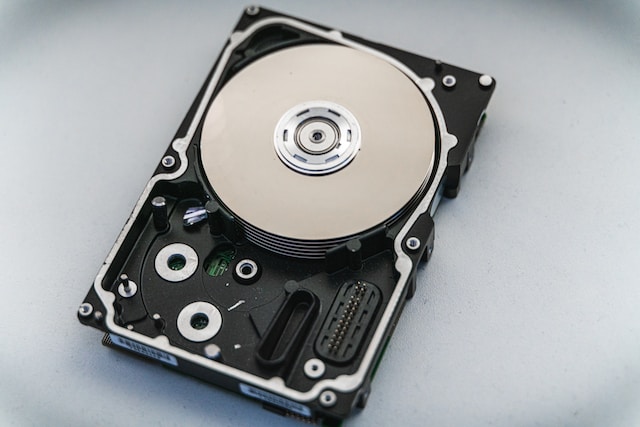
Clicking noise: A common hard drive noise is a clicking sound, which may indicate that the hard drive heads are having trouble reading or writing data. It may also suggest a mechanical issue with the hard drive’s motor. If you hear clicking, it’s crucial to back up your data immediately and seek professional assistance.
Whirring noise: Another typical hard drive noise is a whirring sound, caused by the motor that spins the hard drive’s platters. Usually, there is nothing to be concerned about, and this noise is normal. However, if you hear whirring alongside other symptoms like slow performance, frequent crashes, or data loss, it may indicate a hardware issue.
Scratching noise: If you hear a scratching sound from your hard drive, it could be a result of damage to the platters or heads, often caused by dropping or bumping the hard drive. If you hear scratching, it’s essential to stop using the drive immediately and seek professional assistance.
Buzzing noise: A buzzing noise may suggest that the hard drive’s motor is failing, or there may be a problem with the bearings that support the motor shaft. If you hear buzzing, it’s crucial to back up your data immediately and seek professional assistance.
Grinding noise: If you hear a grinding sound, it may be that the hard drive’s heads are having difficulty reading or writing data. This noise may also indicate damage to the platters or other internal components. If you hear grinding, it’s essential to stop using the drive immediately and seek professional assistance.
Beeping noise: A beeping noise may suggest a problem with the controller board or firmware. In some cases, the hard drive may not be receiving enough power. If you hear beeping, it’s crucial to back up your data immediately and seek professional assistance.
Humming noise: A humming noise may occur if the hard drive is not correctly grounded. It may also indicate a problem with the power supply. If you hear humming, it’s essential to check the power supply and ensure that the hard drive is correctly grounded.
In summary, hard drive noises may indicate possible hardware issues that could lead to data loss. Knowing the various noises a hard drive can make and their possible causes is crucial. If you hear any unusual sounds coming from your hard drive, it’s crucial to back up your data immediately and seek professional assistance. Regular maintenance of your hard drive can help prevent possible hardware issues, and prevention is always better than a cure.