A hard drive is an essential component of any computer system as it stores the operating system, applications, and user data. However, sometimes the computer may fail to recognize or install the hard drive correctly. There are several possible causes and solutions to this problem.
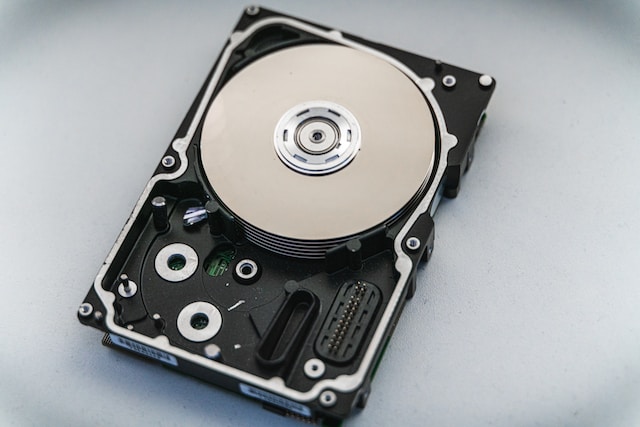
To begin troubleshooting, ensure that the hard drive is properly connected to the computer. Check that the power and data cables connecting the hard drive to the motherboard are not loose or damaged. Also, verify that the jumpers on the back of the hard drive are correctly configured as they determine its role in the computer system. Incorrect jumper settings can prevent the hard drive from being recognized by the computer.
If the cables and jumpers are correctly configured and the hard drive is still not recognized, it is possible that the hard drive has failed. Hard drives are mechanical devices that can wear out over time or be damaged by shock or vibration. You can perform diagnostic tests using specialized software to check the hard drive’s performance and detect errors in its firmware or track defects on the disk surface.
If the hard drive has failed, you will need to replace it with a new one. You can install the new hard drive in the computer and reinstall the operating system and applications. You can use specialized data recovery software to recover data from the failed hard drive in some cases. However, it is always advisable to regularly back up important data to avoid the risk of data loss in case of a hard drive failure.
Another possible cause of a hard drive not being recognized is an incorrect BIOS setting. The BIOS is a program that controls the startup process of the computer and manages its hardware components. If the BIOS settings are incorrect, the computer may not detect the hard drive. You can check the BIOS settings by restarting the computer and entering the BIOS setup menu to verify that the hard drive is listed as a boot device and that the correct settings are selected.
Lastly, a corrupted or damaged operating system can prevent it from recognizing the hard drive. In this case, you can perform a system repair or reinstallation of the operating system using installation media such as a DVD or USB drive. During the process, ensure that you select the correct hard drive as the target for the installation or repair.
In conclusion, several factors can cause a hard drive not to be recognized or installed correctly in a computer system. Troubleshooting involves performing diagnostic tests, checking hardware connections and settings, and potentially replacing the hard drive or reinstalling the operating system. With the right steps, you can fix the issue and restore the proper functioning of your computer system.