A hard drive is a crucial part of any computer or laptop, as it stores important files, documents, photos, videos, and the operating system. At times, the computer may not recognize the hard drive, leading to frustration and potential data loss.
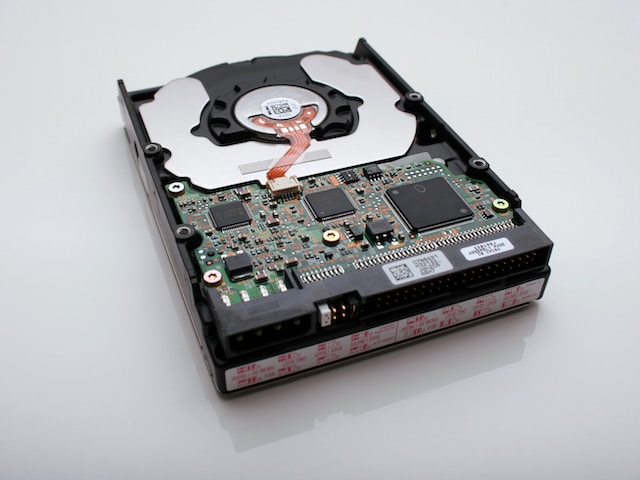
Various factors can contribute to the hard drive not being recognized. Some of these include damaged cables, outdated drivers, corrupted system files, incorrect BIOS settings, or physical damage. This article will explore common causes and possible solutions to fix the issue.
Faulty Cables or Connections
One of the typical reasons why the hard drive is not recognized is due to faulty cables or connections. For an external hard drive, make sure that the USB or power cables are properly plugged in and not damaged. For an internal hard drive, ensure that the SATA cables are correctly connected and secure.
Outdated or Missing Drivers
Another factor contributing to the hard drive not being recognized is outdated or missing drivers. Drivers are software programs that enable communication between the computer and hard drive. If the hard drive’s driver is missing or outdated, the computer may not recognize it.
To resolve this, you should update or reinstall the drivers for the hard drive. This can be done by visiting the manufacturer’s website and downloading the latest drivers for the specific hard drive model.
Corrupted System Files
Corrupted system files can also cause the hard drive to not be recognized. This can occur due to viruses, malware, or other software-related issues. A virus scan or system repair tool can be used to fix any corrupted system files.
BIOS Settings
BIOS settings on the computer can also contribute to the hard drive not being recognized. BIOS is firmware that controls the hardware components of the computer. If the BIOS settings are incorrect, the computer may not recognize the hard drive.
To resolve this, you need to access the computer’s BIOS settings and ensure that the hard drive is listed as a boot device. You can also try resetting the BIOS settings to their default values to see if it fixes the issue.
Physical Damage
Physical damage to the hard drive can also cause it to not be recognized by the computer. This can happen due to dropping the hard drive, exposure to extreme temperatures, or other physical damage.
If the hard drive is physically damaged, you may need to take it to a professional data recovery service to retrieve the data. However, if the hard drive is not physically damaged, you can try connecting it to another computer to see if it is recognized.
In summary, several factors can cause the hard drive not to be recognized, including damaged cables, outdated drivers, corrupted system files, incorrect BIOS settings, or physical damage. By implementing the solutions mentioned above, you can troubleshoot and fix the problem, preventing potential data loss.